iCloud Mail on Mac: A Faster Native Client
Yes, you can read iCloud Mail on a Mac without Apple Mail. iCloud Mail speaks standard IMAP, so any compatible Mac client can connect to it. bytemail links straight to Apple's servers once you sign in with an app-specific password. No browser tab, no lock-in. Join the waitlist on the bytemail homepage to get early access.
Can you use iCloud Mail on a Mac outside Apple Mail?
You can, and plenty of people already do. Three terms get mixed up, so let's separate them:
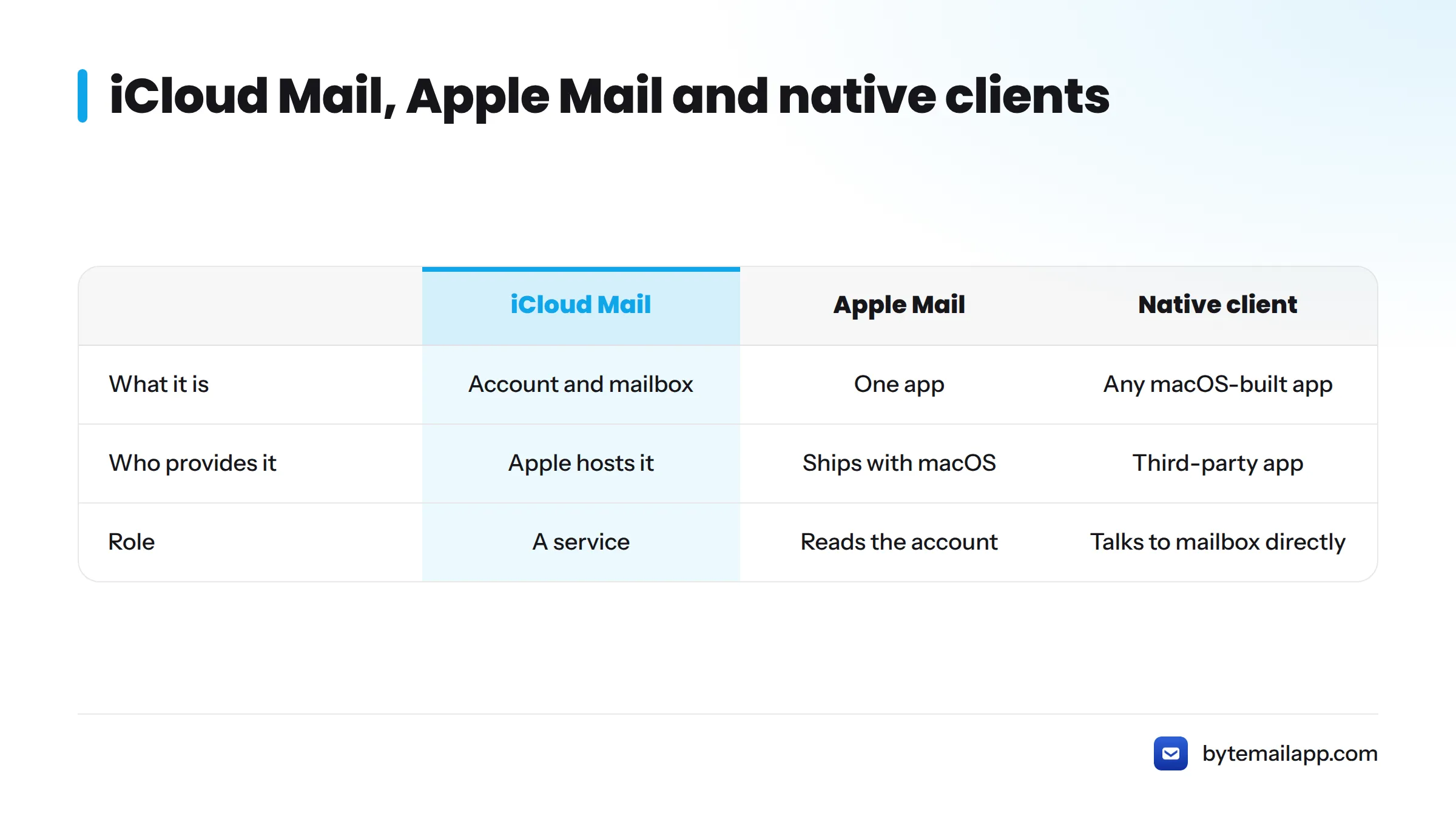
- iCloud Mail is the account and mailbox that Apple hosts for your Apple Account. Your @icloud.com, @me.com or @mac.com address lives here.
- Apple Mail is one app that can read that account. It ships with macOS.
- A native client is any app built for macOS that talks to the mailbox directly, using the platform's own frameworks.
That settles a common question. Apple Mail is an app, and iCloud Mail is a service. Apple documents how to turn the service on in its guide to setting up iCloud Mail on all your devices. For the short route to your mail, open System Settings, sign in to your Apple Account, and switch on Mail. A full walkthrough is coming to the blog as our add-iCloud-to-Mac guide.
Where iCloud Mail on Mac gets slow or awkward
I'll be straight with you: I have no benchmark to show here, and I won't invent one. What I can describe is how it feels in daily use.
Browser-based access
iCloud.com works from any machine, and that is its strength. It is also one tab among many. You lose native notifications, Dock badges, and the keyboard habits you built across the rest of macOS.
One account at a time
Most people also have Gmail, Outlook or Yahoo. Hopping between iCloud.com and those other inboxes splits your attention. A unified inbox puts every account in one window, so nothing sits unseen. For the wider picture, see our look at multiple email accounts on Mac.
How bytemail signs in: app-specific password with two-factor Apple ID
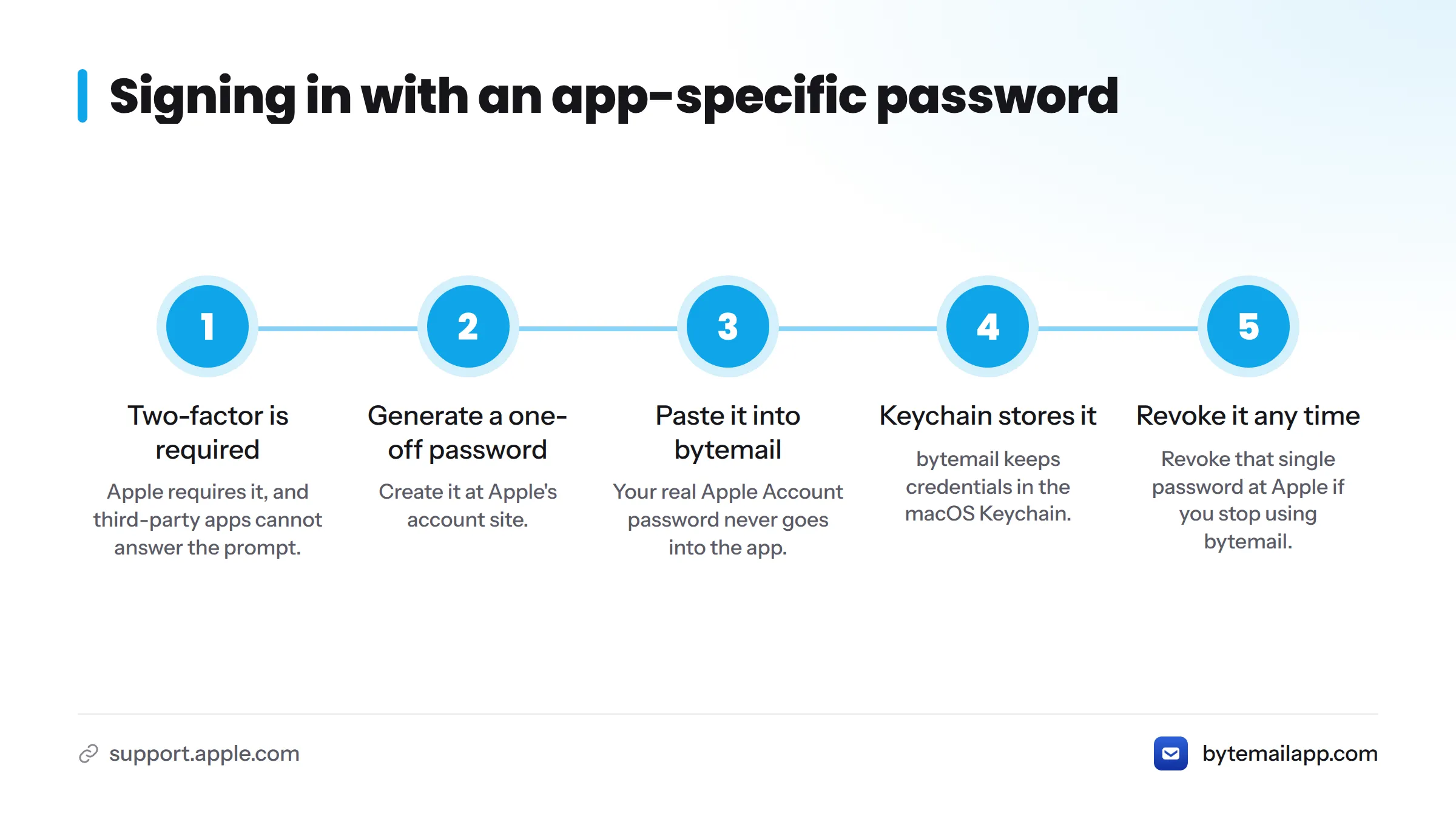
Here is where most people stall. Apple requires two-factor authentication on modern Apple Accounts, and third-party apps cannot answer a two-factor prompt. Apple's fix is the app-specific password, which it explains in Sign in to apps with your Apple Account using app-specific passwords. For an iCloud app-specific password on Mac, that is the only extra step.
What you enter, and why it is not your main password
You generate a one-off password at Apple's account site and paste it into bytemail. Your real Apple Account password never goes into the app. If you ever stop using bytemail, you revoke that single password at Apple and nothing else changes. A plain-language explainer on app-specific passwords is planned for the blog.
Where the credential is kept
bytemail stores passwords and tokens in the macOS Keychain, the system's own credential store, rather than in a file of its own.
Ready to try it? Join the bytemail waitlist and bring your iCloud account along. Prefer to read first? Our FAQ covers requirements and providers.
How bytemail handles iCloud folders and mailboxes
Your iCloud folders sync from Apple and appear in the sidebar next to your other accounts. Inbox, Sent and any folders you created come across as IMAP mailboxes, because IMAP keeps the server as the source of truth.
| What you get | Apple Mail | iCloud.com | bytemail |
|---|---|---|---|
| Native Mac app | Yes | No, runs in a browser | Yes, built in Swift, SwiftUI and AppKit |
| iCloud folders | Yes | Yes | Yes, beside your other accounts |
| Other providers in the same window | Yes | No | Yes, in a unified inbox |
| On-device search that works offline | Depends on what is downloaded | No | Yes |
| Needs an app-specific password | No | No | Yes |
The last row is the honest trade-off. Apple Mail signs in through System Settings, while a third-party client asks for one extra password.
Direct connection to Apple's servers, no bytemail relay
When bytemail fetches your iCloud mail, the path is short. Picture two boxes: your Mac on the left, Apple's IMAP server on the right, one line between them. No bytemail server sits in the middle. We do not relay, store or proxy your iCloud messages.
bytemail publishes a public list of every network connection the app makes, so you can check this instead of trusting a promise. For the reasoning behind the design, read how a privacy-by-architecture email client works.
What a native iCloud email third party client for Mac adds
Once the connection is made, here is what changes day to day:
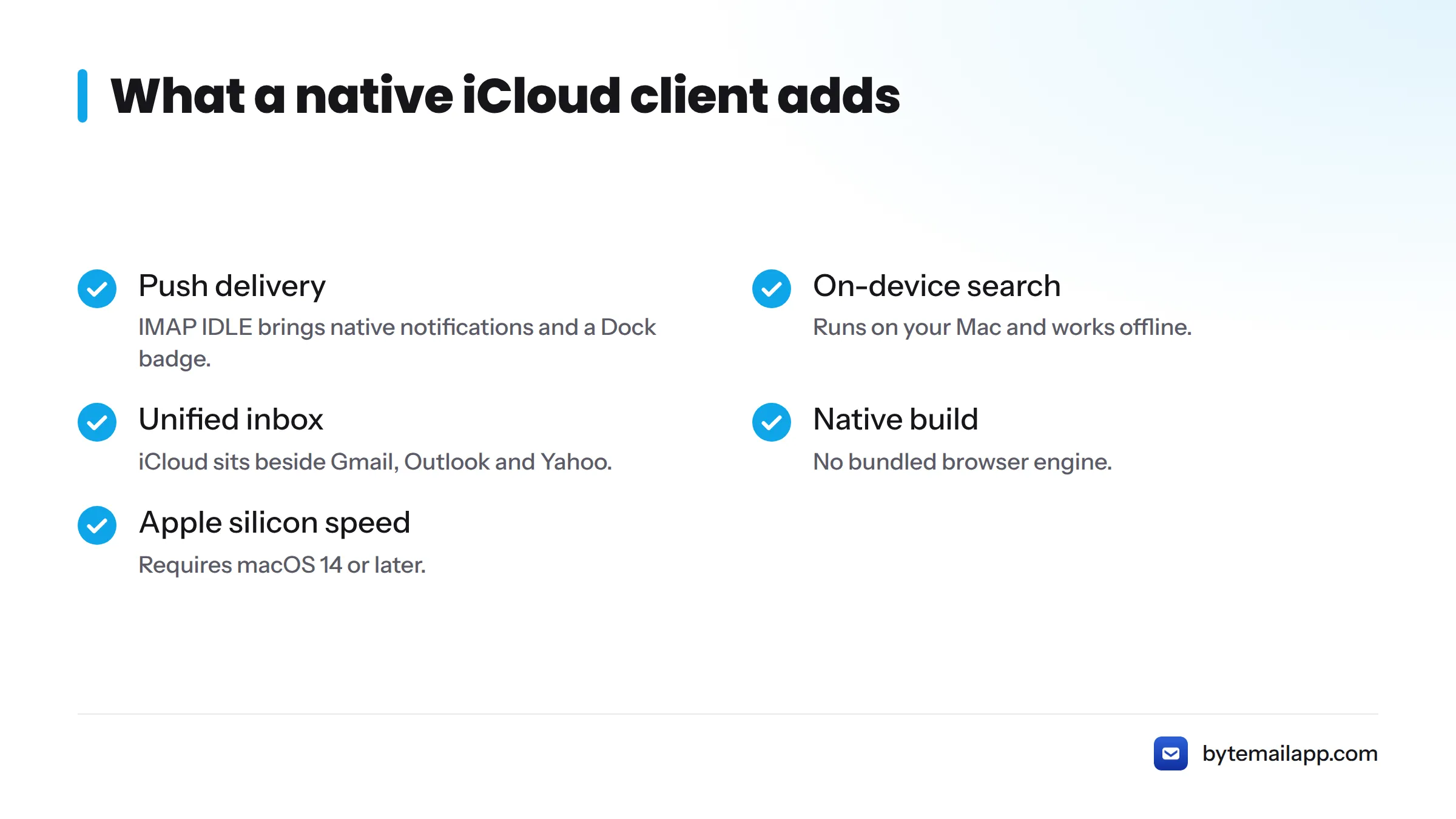
- Push delivery. IMAP IDLE keeps a connection open, so new mail arrives with a native notification and a Dock badge.
- On-device search. Search runs on your Mac and works offline. That covers iCloud mail offline on Mac for any message already synced.
- A unified inbox. iCloud sits beside Gmail, Outlook and Yahoo, with colour-coded avatars so you see the account at a glance.
- A native build. No bundled browser engine. Here is what makes bytemail a native macOS app.
- Apple silicon speed. It is optimised for M-series Macs and requires macOS 14 or later.
Launch status, plainly: bytemail is collecting waitlist sign-ups ahead of release. Pricing details sit on the pricing page.
What this page does not cover, and where to go next
This page answers one question. Next steps for the rest:
- Adding iCloud step by step: the add-iCloud-to-Mac guide, coming to the blog.
- Using a custom domain with iCloud Mail: a dedicated post is planned.
- Where Apple Mail falls short: a dedicated post is planned.
- Comparing options: Apple Mail alternatives.
- Other accounts: every supported mail provider.
FAQ
Can I use iCloud Mail without Apple Mail?
Yes. iCloud Mail works over IMAP, so any compatible client can connect. You do not need Apple Mail installed.
Why does iCloud need an app-specific password?
Third-party apps cannot complete Apple's two-factor sign-in. An app-specific password lets one app in without exposing your main Apple Account password, as Apple Support describes.
Does bytemail see my iCloud mail?
No server of ours sees it. The app connects directly to Apple's servers, with no bytemail relay, and your credentials stay in the macOS Keychain.
Will my iCloud folders appear?
Yes. Folders and mailboxes sync from iCloud and show in the sidebar alongside your other accounts.
Bring iCloud Mail into a faster Mac app
You do not have to choose between a browser tab and the default app. Join the bytemail waitlist and read your iCloud mail natively, privately and beside everything else.