Webmail Client Alternatives for Mac: Go Native (2026)
A webmail client is an email interface that runs in your browser, such as the Gmail web app or Outlook on the web, so you read and write messages on the provider's site. If you are a Mac user tired of browser tabs and Electron apps, the webmail client alternative is a native Mac email client. bytemail is built in Swift with no browser engine.
Here is the short version:
- Swift, SwiftUI and AppKit, with no bundled browser engine
- macOS 14 or later, optimised for Apple silicon
- No connection to a bytemail server
- Not launched yet: bytemail is collecting waitlist sign-ups
Let's break down what that means for your inbox.
What a Webmail Client Is and How It Works
A webmail client is software that lets you send, receive and manage email through a web browser instead of an installed program. The mail lives on a server, the interface loads from a website, and your browser draws every screen. You need no installation, only a login and an internet connection.
Most people already use one. The Gmail web app and Outlook on the web are the best-known examples. Self-hosted tools such as Roundcube work the same way: a web server runs the interface, and you reach it from a browser. I mention self-hosted software only for orientation. This page is for people who use a hosted mailbox on a Mac and want to leave the tab behind.
Webmail client vs email client: a webmail client is an interface you open in a browser. An email client (also called a mail user agent) is an app installed on your computer that talks to your mail server directly.
Browser-Based Email, Electron Apps and Native Mac Apps
Not every "app" is a real app. Some are a web page in a costume. Here is how the three types compare.
Browser-based email runs inside a tab. Your browser handles rendering, memory and notifications, and it shares those resources with every other tab you have open. Any web-based email client falls into this group.
Electron email apps package a web app in its own window. Electron's documentation describes an architecture built on Chromium and Node.js, so each app ships its own browser engine. It looks like a Mac app, but underneath it is still web-based email. If you are hunting for an Electron email client alternative, this is the distinction that matters.
Native Mac apps use Apple's own frameworks. Apple documents SwiftUI and AppKit as the tools for building interfaces that run directly on macOS. bytemail uses both, so no browser engine sits in the path.
| Webmail (browser tab) | Electron app | Native Mac app | |
|---|---|---|---|
| Interface engine | Your browser | Bundled Chromium | Swift, SwiftUI, AppKit |
| Install needed | No | Yes | Yes |
| Offline access | Limited | Limited, depends on the app | Local mail store, works offline |
| Notifications | Browser prompts | App-level, web-based | Native macOS notifications and Dock badge |
| Unified inbox | One site per tab | Depends on the app | Built into one window |
| Memory behaviour | Shares browser overhead | Carries its own engine | No engine to carry |
I'm keeping the deeper architecture comparison off this page. What you need here is simple: the engine underneath decides how heavy the app feels.
Why Mac Users Leave Webmail and Electron Email
I hear the same complaints again and again. None of them is dramatic. They pile up until the inbox feels like a chore. This is the core of the browser email vs desktop app debate.
Memory use and tab clutter. Each browser tab and each Electron window carries a rendering engine. Open three accounts and a calendar, and your Mac runs several copies of a browser just to show you text.
Slow launch and scrolling. Web interfaces load scripts before they show mail. Long threads and big mailboxes can stutter while the page redraws.
No real offline access or on-device search. When the interface lives on a server, a dropped connection leaves you with a blank tab. Search often runs on the provider's side too.
Weak notifications and no Dock badge. Browser notifications depend on permissions and an open tab. A native app gives you a Dock badge and macOS notifications that behave like every other Mac app.
Accounts scattered across tabs. Gmail in one tab, Outlook in another, iCloud in a third. You become the unified inbox.
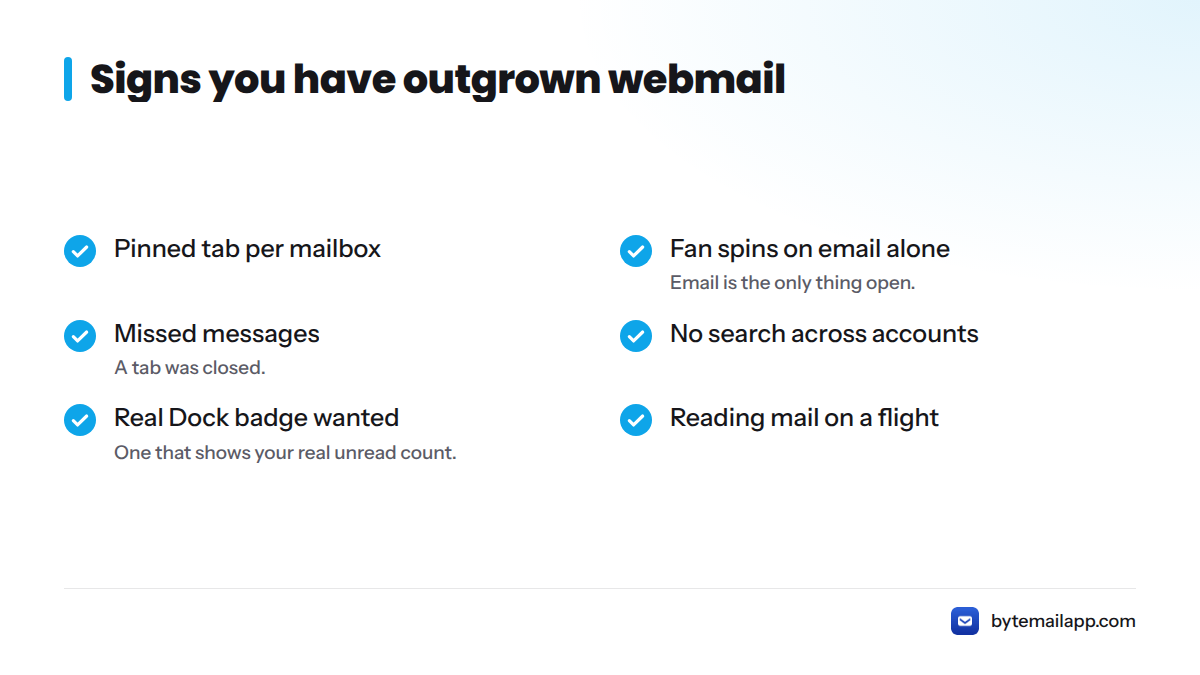
Here are the signs you have outgrown webmail:
- You keep a pinned tab per mailbox
- Your fan spins when email is the only thing open
- You miss messages because a tab was closed
- You cannot search all your accounts at once
- You want a Dock badge that shows your real unread count
- You need to read mail on a flight
If three or more of those sound familiar, a desktop email client for Mac will likely feel like a relief.
What a Native Mac Email Client Offers Instead
If you want to replace a web-based email client, here is what changes day to day.
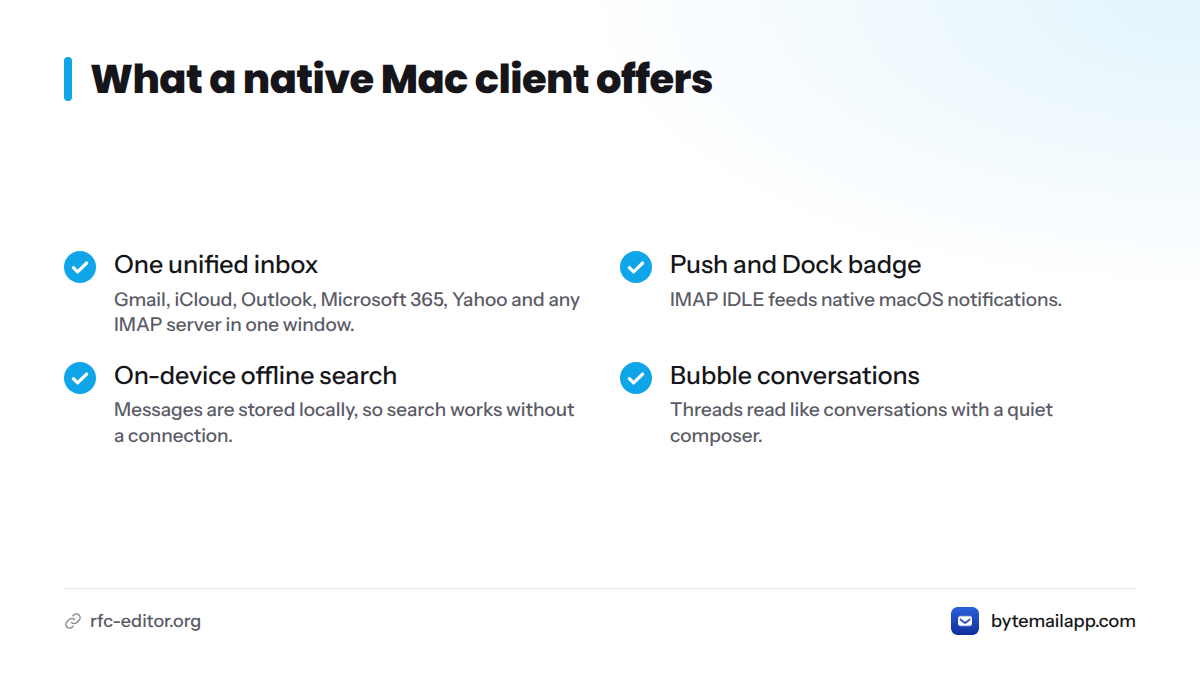
One unified inbox across every provider. bytemail brings Gmail, iCloud, Outlook, Microsoft 365, Yahoo and any IMAP server into one window. See the unified inbox for Mac and the guide to multiple email accounts on Mac for details.
Push delivery, native notifications and the Dock badge. Mail arrives through the standard IMAP protocol, whose IDLE command lets a server tell your client about new messages as they land. That feeds native macOS notifications and the Dock badge, so you no longer keep a tab open to hear about mail.
Search across every account, on-device and offline. Messages are stored locally, so search runs on your Mac and works without a connection.
Message-bubble conversations and a quiet composer. Threads read like conversations, and the composer stays out of your way. If you use Google mail daily, the Gmail app for Mac page shows how that looks without the web app. For the full picture of what native means here, read about choosing a native Mac email client.
How bytemail Measures Up: Memory, Launch Time and Scrolling
I will not hand you made-up benchmarks. Numbers only help when you can check them, so here is the method and what to compare.
To measure it yourself:
- Use the same Mac, the same macOS version and the same accounts for every test.
- Quit other apps, then open Activity Monitor and watch the Memory column for each client after a few minutes of idle use.
- Time a cold launch from click to a readable inbox, using a screen recording.
- Scroll a large mailbox at a steady pace and note any stutter or blank rows.
| Measure | Where to look | What to expect to differ |
|---|---|---|
| Memory use | Activity Monitor, Memory tab | Browser-engine clients include helper processes; a native app has none to count |
| Launch time | Screen recording, click to inbox | Web clients load scripts before showing mail |
| Scroll performance | Large mailbox, steady scroll | Native lists draw rows directly |
Published first-party figures for bytemail will appear here once testing is final. Until then, run the test on your own Mac. Your accounts and mailbox size matter more than anyone's chart. For the chip-level story, see the Apple silicon email app page.
No Connection to a bytemail Server: What That Means for Your Mail
Here is why this matters for native Mac email instead of webmail: the path your messages take is shorter.
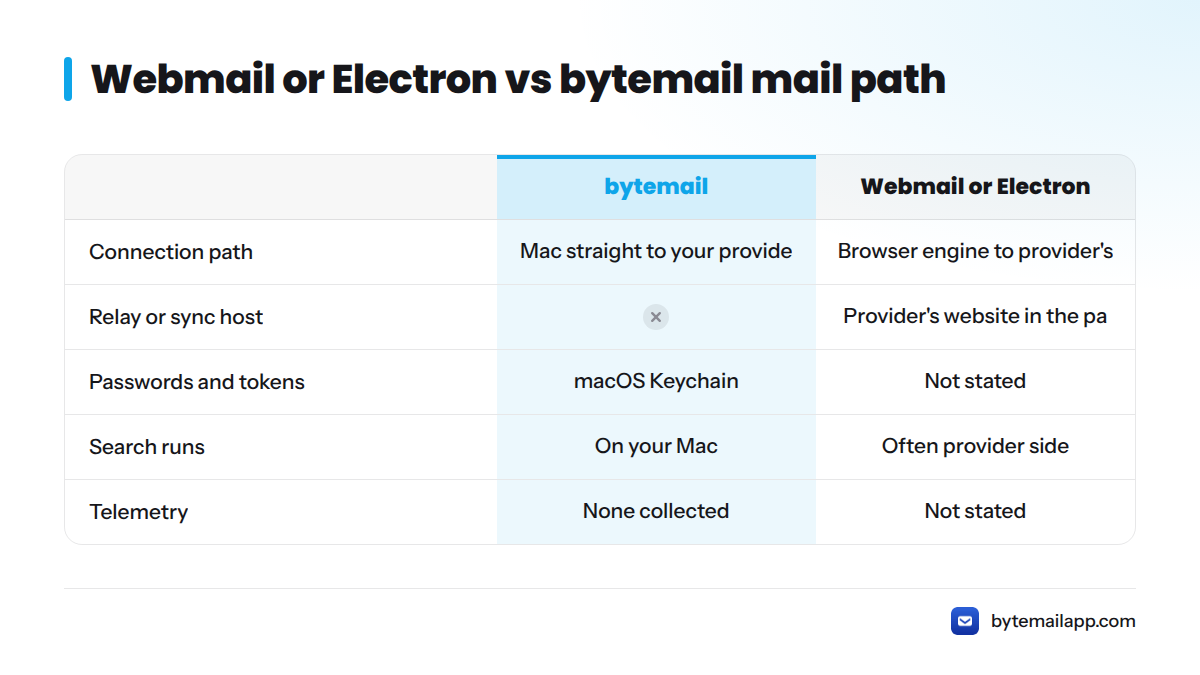
Direct connection to your provider. With webmail, the path runs from your browser to the provider's website. With bytemail, your Mac talks straight to your mail provider. No bytemail relay or sync host sits in between.
Passwords and OAuth tokens in the macOS Keychain. Sign-in uses OAuth 2.0 where the provider supports it. Passwords and tokens go into the macOS Keychain, which Apple describes in its Keychain documentation, rather than a company database.
On-device search and no telemetry. Search and categorisation run on your Mac. bytemail does not collect telemetry. Crash reports go out only if you choose to send them, after you read what they contain. Read more on how bytemail handles privacy.
In webmail or Electron, your keystrokes and messages travel between a browser engine and the provider's site. In bytemail, a native app on your Mac connects to your provider over IMAP and SMTP, and nothing else is in the path.
When a Webmail Client Is Still Enough
I use webmail myself on machines that are not mine. It works on any device with no install, and that is a real strength.
| Your situation | Best choice |
|---|---|
| Shared or locked-down computer | Stay on webmail |
| You cannot install software | Stay on webmail |
| One light account, checked now and then | Stay on webmail |
| Your Mac runs an older macOS than 14 | Stay on webmail for now |
| Several accounts in one day | Switch to native |
| You need offline access | Switch to native |
| You care about memory and privacy | Switch to native |
Next Steps
bytemail has not launched yet, and I am collecting waitlist sign-ups. You will not find a download today, and I would rather say so than imply otherwise.
- Review the bytemail features and join the waitlist
- Check the bytemail FAQ for requirements and supported providers
- See pricing for the licence options
- Weighing specific apps? Read the Mimestream alternatives comparison
Pages on Electron memory diagnosis, PWA vs native, and moving from webmail to a desktop client will go live as they are ready.
Webmail Client FAQ
What is a webmail client?
A webmail client is an email interface that runs in your browser. Gmail's web app and Outlook on the web are common examples.
Is a desktop email client better than webmail?
For many Mac users, yes. A desktop client gives you a unified inbox, offline access, on-device search and native notifications. Webmail wins when you cannot install software.
What is the best webmail client for a Mac user?
If you want to leave the browser, the better question is which native client to pick. Start with choosing a native Mac email client.
How do I access my webmail?
Open your provider's site in a browser and sign in. Gmail, Outlook and iCloud each have their own address.
Does webmail still exist?
Yes. Gmail and Outlook on the web are used daily by millions of people, and self-hosted tools like Roundcube are still maintained.
What is the best free webmail?
Gmail, Outlook.com and iCloud Mail all offer free webmail. For a native app instead, see the bytemail pricing page.
Is an Electron email app the same as a native app?
No. Electron bundles a Chromium browser engine, so it is still web-based email in an app window. A native app uses Swift and AppKit directly.
Does bytemail connect to a bytemail server?
No. Your Mac connects directly to your mail provider.
What are the system requirements?
bytemail needs macOS 14 or later and is optimised for Apple silicon.
Is bytemail available now?
Not yet. It is pre-launch, and the waitlist is open.
Sources
- Process Model, Electron Documentation
- SwiftUI Documentation, Apple Developer
- AppKit Documentation, Apple Developer
- RFC 9051: Internet Message Access Protocol (IMAP) Version 4rev2, IETF
- RFC 6749: The OAuth 2.0 Authorization Framework, IETF
- Keychain data protection, Apple Platform Security
- Roundcube Webmail