Unified Inbox Mac: All Accounts in One Fast Window
bytemail is a native Mac email client that merges Gmail, iCloud, Outlook, Microsoft 365, Yahoo and IMAP accounts into one unified inbox window. The merge happens on your Mac with no bytemail server in between, and every message keeps its account identity. If you are tired of juggling webmail tabs, this page shows how the unified inbox works, what it does, and who it does not suit.
Five accounts mean five places to check, five search boxes and five chances to miss the one message that matters. Here is how bytemail fixes that. For the full product picture, visit the bytemail homepage.
The Short Answer: One Unified Inbox for Mac
A unified inbox puts mail from every account into a single list. bytemail builds that list inside a native macOS app, so you open one window and see everything. Your accounts stay separate underneath. The combined view sits on top of them and replaces nothing.
What you get in one window
- Every account in one list. Gmail, iCloud Mail, Outlook, Microsoft 365, Yahoo Mail and generic IMAP mailboxes appear together, which makes bytemail a practical way to keep all accounts in one inbox on a Mac.
- Account-coloured avatars. One glance tells you which mailbox a message belongs to.
- Smart tabs. Switch between All, Primary, Updates and Promos in the combined view.
- Instant delivery. New mail arrives through IMAP IDLE push, with native notifications and a Dock badge.
Key facts at a glance
| Fact | Detail |
|---|---|
| Platform | macOS 14 or later |
| Hardware | Optimised for Apple silicon |
| Built with | Native Swift, SwiftUI and AppKit |
| Browser engine | None bundled, so it is not a web wrapper |
| Where merging happens | On your Mac |
I like to be upfront about limits: bytemail is Mac-only. If you need Windows, Linux, iPhone or iPad, jump to the fit section below. To see what native means day to day, read what makes bytemail a true native macOS email app.
How bytemail Merges Gmail, iCloud, Outlook, Yahoo and IMAP
This Mac email client with a unified inbox supports the account types most Mac users already have. Each one connects to bytemail directly and lands in the same list.
| Account type | Shown in the one-window inbox |
|---|---|
| Gmail | Yes |
| iCloud Mail | Yes |
| Outlook / Microsoft 365 | Yes |
| Yahoo Mail | Yes |
| Generic IMAP (work or custom domains) | Yes |
Setup steps live on the integrations page, where you can connect Gmail, iCloud, Outlook or IMAP. If Gmail is your main account, the Gmail app for Mac page covers that case in detail.
Under the hood, these accounts talk to your Mac over standard protocols. IMAP is defined in IETF RFC 3501. The push behaviour that makes new mail show up quickly comes from the IMAP IDLE extension in RFC 2177.
Every message keeps its account identity
A merged list gets confusing fast when you cannot tell a work message from a personal one. bytemail colours each account's avatar, so identity survives the merge. You reply from the right address because you can see the right account.
Combined view or one account at a time
Nothing locks you into the merged list. You can switch to a single account's folders whenever you want, so yes, you can still view one account at a time. If your day involves several mailboxes, the guide to running multiple email accounts on a Mac goes further.
On-Device by Design: No bytemail Server Between You and Your Providers
Many people ask whether a unified inbox means their mail passes through someone else's server. With bytemail, it does not. Your Mac connects directly to each provider, and the merge happens locally. That is what makes it a native unified mailbox rather than a cloud service.
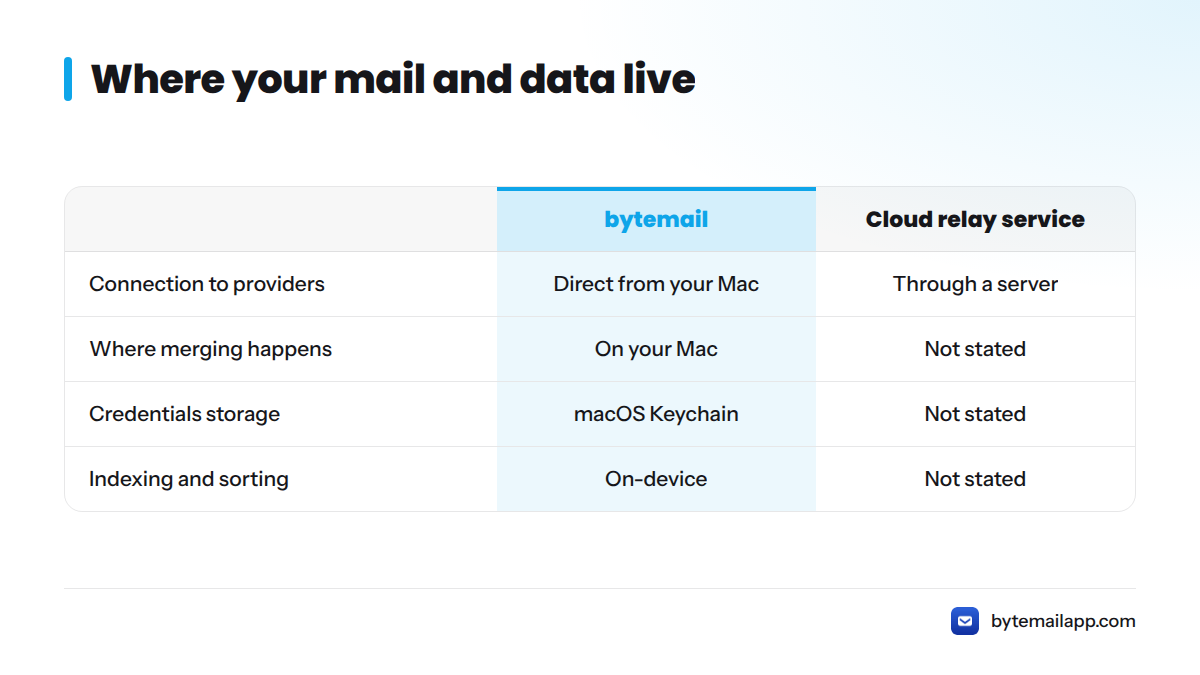
A direct line from your Mac to each provider
Picture a simple diagram. On the left sits your Mac running bytemail. On the right sit Gmail, iCloud, Outlook, Yahoo and your IMAP server. A line runs from the Mac straight to each of them. In the middle, where a relay might sit, there is a crossed-out box labelled "bytemail server." The relay is missing because bytemail does not run one for your mail.
Where credentials and indexing live
- OAuth tokens and passwords sit in the macOS Keychain on your Mac.
- Indexing and categorisation happen on-device.
- The index is local, so the app needs no cloud service to sort or search your mail.
"On-device processing" means the work of organising your mail happens on your computer, not on a remote machine. For the full explanation, see how bytemail works as a privacy-focused Mac email client.
Cross-Account Search Times: What We Can and Cannot Say Yet
Search is where a unified inbox earns its place. Instead of opening each mailbox and typing the same query five times, you search once and see matches from every account. That is cross-account search on a Mac working the way it should.
I will not invent benchmark numbers. The table below lists the test conditions that matter and where each one stands today.
| Test condition | Value |
|---|---|
| Mac model | Not available |
| macOS version | Not available |
| Number of accounts | Not available |
| Total messages indexed | Not available |
| Cross-account search time | Not available |
The method is straightforward. Index a fixed set of accounts, run the same query repeatedly, and record the time from keypress to results. When bytemail publishes its measurements, they will appear here with these conditions attached, so you can judge them yourself. Until then, be skeptical of any competitor figure that comes without stated conditions. A dedicated comparison of how to search every account at once is planned as a sibling page.
What You Can Do From the Unified View
The combined window gives you:
- All, Primary, Updates and Promos tabs across every account
- New mail through IMAP IDLE push, with notifications and a Dock badge
- Threads displayed as conversation bubbles
- A rich-text composer with drag-and-drop attachments and auto-saved drafts
- Real sender pictures from your Contacts, plus sender brand icons
Smart tabs sort the noise
Smart tabs organise the merged list so receipts and newsletters do not bury messages from real people. The categorisation runs on your Mac, in line with the on-device design above.
Push delivery with IMAP IDLE
With push, the server tells your Mac when something arrives, instead of your Mac asking every few minutes. You get a native macOS notification and a Dock badge count across your accounts.
Bubbles, composer, attachments and drafts
Threads read like a conversation. The composer handles rich-text formatting, attachments drop in by drag and drop, and drafts save automatically, so a half-written reply survives a closed window.
Sender pictures and brand icons
bytemail pulls real sender pictures from macOS Contacts and shows brand icons for companies. Faces and logos make a long list faster to scan.
Rules that sort mail across accounts are coming in a sibling page on cross-account filters. Meanwhile, the Gmail vs Mac shortcuts guide helps if you are moving over from the Gmail web interface.
Who This Unified Inbox Fits (and Who It Doesn't)
Let's be direct about fit.
| bytemail fits | bytemail does not fit |
|---|---|
| Mac users with several mail accounts | People on Windows or Linux |
| Privacy-conscious professionals who want on-device processing | iPhone or iPad-only users |
| People who would rather avoid web clients and browser wrappers | Anyone on macOS 13 or earlier |
| Users who like a native, Apple silicon-optimised app | Anyone wanting Slack, GitHub and email in one multi-app feed |
Apple Mail also offers a combined view. Apple's Mail User Guide is the place to check how its All Inboxes behaves on your macOS version, and a separate comparison page will cover the differences. If you are weighing other clients, see the Thunderbird alternatives for Mac, Spark Mail alternatives and Airmail alternatives.
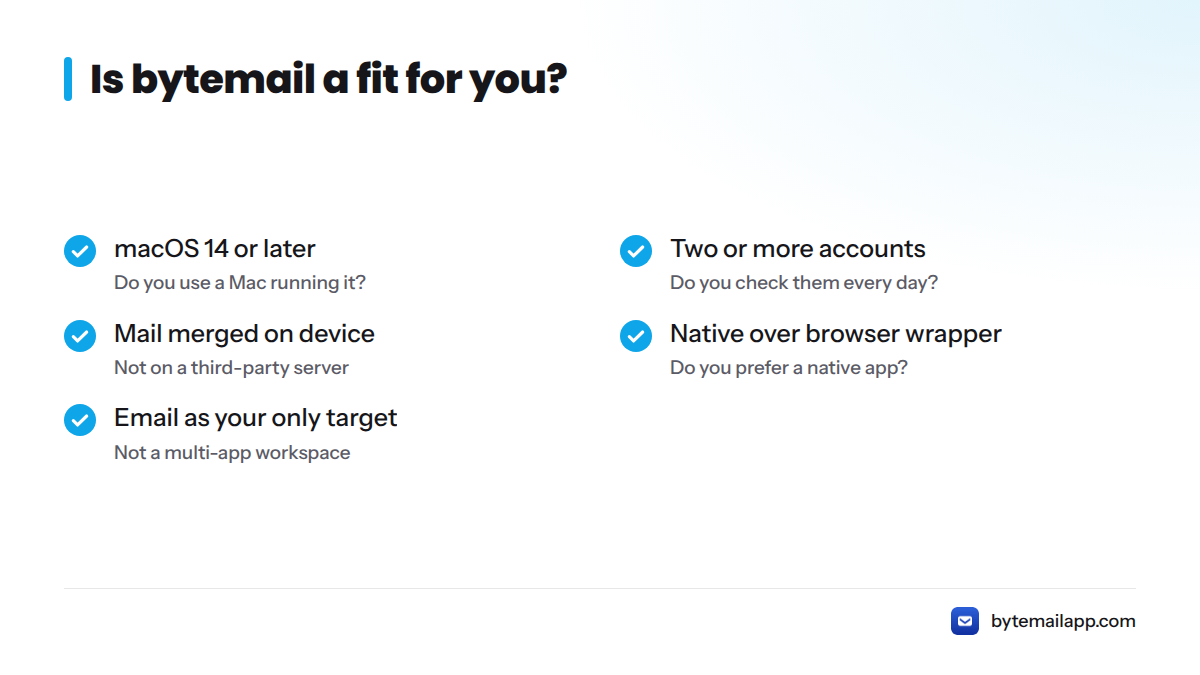
Decision checklist
Answer yes or no:
- Do you use a Mac running macOS 14 or later?
- Do you check two or more mail accounts every day?
- Do you want mail merged on your device, not on a third-party server?
- Do you prefer a native app over a browser wrapper?
- Is email your only target, rather than a multi-app workspace?
Four or five yes answers make bytemail a strong match. Apple silicon owners get the most from it, and the Apple silicon email app page explains why.
Next Steps: Try bytemail's Unified Inbox on Your Mac
You have seen what the window does, how the merge works and where the limits are. bytemail is pre-launch, so the way in is the waitlist on the bytemail homepage. For plans and licence options, see bytemail pricing.
Unified Inbox on Mac: Frequently Asked Questions
What is the best unified inbox for Mac with Gmail, iCloud, Outlook and work mail?
bytemail is built for exactly that mix. It is a native Mac client that merges Gmail, iCloud, Outlook, Microsoft 365, Yahoo and IMAP accounts in one window, on-device, with account identity preserved on every message.
Can I still view one account at a time?
Yes. The unified view is a layer over your accounts, and you can switch to a single account's folders at any time.
Does a unified inbox mean my mail passes through a bytemail server?
No. Your Mac connects directly to each provider, and the merge and indexing happen on your device. There is no bytemail server in between.
Which macOS version do I need?
bytemail requires macOS 14 or later and is optimised for Apple silicon.
Is bytemail a web wrapper or a native app?
It is a native app built with Swift, SwiftUI and AppKit. It bundles no browser engine.
Where are my passwords and OAuth tokens stored?
In the macOS Keychain on your Mac.
Can I tell which account a message came from?
Yes. Account-coloured avatars mark each message in the combined list.
Does new mail arrive instantly across all accounts?
bytemail uses IMAP IDLE push, so new mail arrives as the server announces it, with native notifications and a Dock badge.
Is there a Windows, iPhone or iPad version?
No. bytemail is a Mac-only app.
Where can I find pricing?
On the bytemail pricing page. You can also check the bytemail FAQ for requirements, providers and privacy answers.