Apple Mail Alternatives for Mac in 2026
The best Apple Mail alternatives for Mac in 2026 are bytemail for fast search across many accounts, Mimestream for Gmail, Spark Mail for smart triage and small teams, Airmail for customization, Thunderbird for free and open-source use, Canary Mail for encryption tools, and Outlook for Microsoft 365. Disclosure: bytemail is our own app, and it was still on a pre-launch waitlist when we wrote this page.
Let's break it down. Apple Mail is a good app, and plenty of people should keep it. But if search feels slow, your accounts blur together, or you want more control, one of the apps below will fit better. Each gets one label, one strength, and one honest limit.
Join the bytemail waitlist or jump to the decision guide at the end if you already know your problem.
The Best Apple Mail Alternatives for Mac in 2026 at a Glance
Here is the shortlist in one table. Vendors change prices often, so the pricing column describes models rather than amounts. Check each vendor's site before you buy.
| App | Best for | Standout strength | Main limit | Pricing model | Providers |
|---|---|---|---|---|---|
| bytemail | Fast search across many accounts | Native app with on-device cross-account search that works offline | Mac only, macOS 14 or later, pre-launch waitlist at publication | See bytemail pricing | Gmail, iCloud, Outlook, Microsoft 365, Yahoo, IMAP |
| Mimestream | Gmail users | Native client built around the Gmail API | Gmail focus is also its limit | Paid; verify current price | Gmail and Google Workspace |
| Spark Mail | Smart triage and small teams | Smart Inbox and shared drafts | Strongest features sit in paid tiers; mail is processed on Spark's servers | Free tier plus paid plans | Multiple providers |
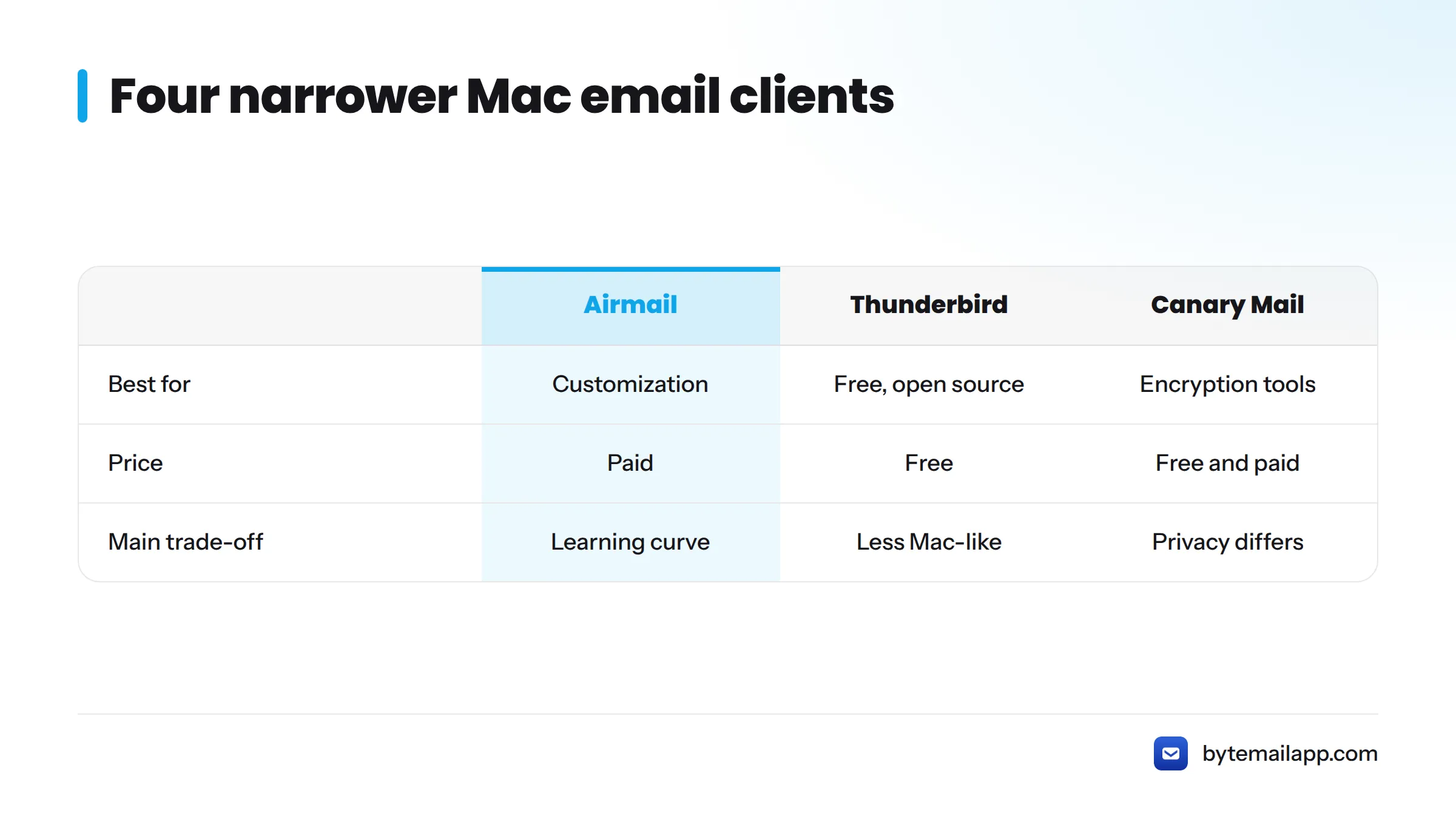
| Airmail | Customization and automation | Deep tweaking and integrations | Power comes with a learning curve | Paid; verify current price | Multiple providers |
| Thunderbird | Free and open source | No cost, run by Mozilla | Interface feels less Mac-like | Free | Multiple providers |
| Canary Mail | Encryption tools | Built-in PGP support | Fewer fans of its interface | Free and paid options; verify | Multiple providers |
| Outlook for Mac | Microsoft 365 users | Calendar and Exchange fit | Heavier than lighter clients | Free and Microsoft 365 options | Outlook, Microsoft 365, others |
Not sure? Start with the decision guide at the end. If you want a wider ranking of apps like Apple Mail, see every Mac email client compared.
How We Evaluated Apple Mail Alternatives
You should know how these labels were earned. Here is the setup, the criteria, and the conflict of interest.
Testing setup
Our hands-on testing runs on macOS 14 or later on Apple Silicon hardware. For search timing, we use a multi-account mailbox mix, run the same queries repeatedly, and record the time until results appear.
We have not finalized timing figures for publication, and we will not invent any. The table shows what we measure and where each number stands.
| App | Cross-account search time (median of repeat runs) |
|---|---|
| bytemail | Not available |
| Apple Mail | Not available |
| Other clients | Not available |
When we publish figures, they will come from bytemail's own testing, with the mailbox size, account count, and hardware stated. They will not be a universal benchmark.
Criteria
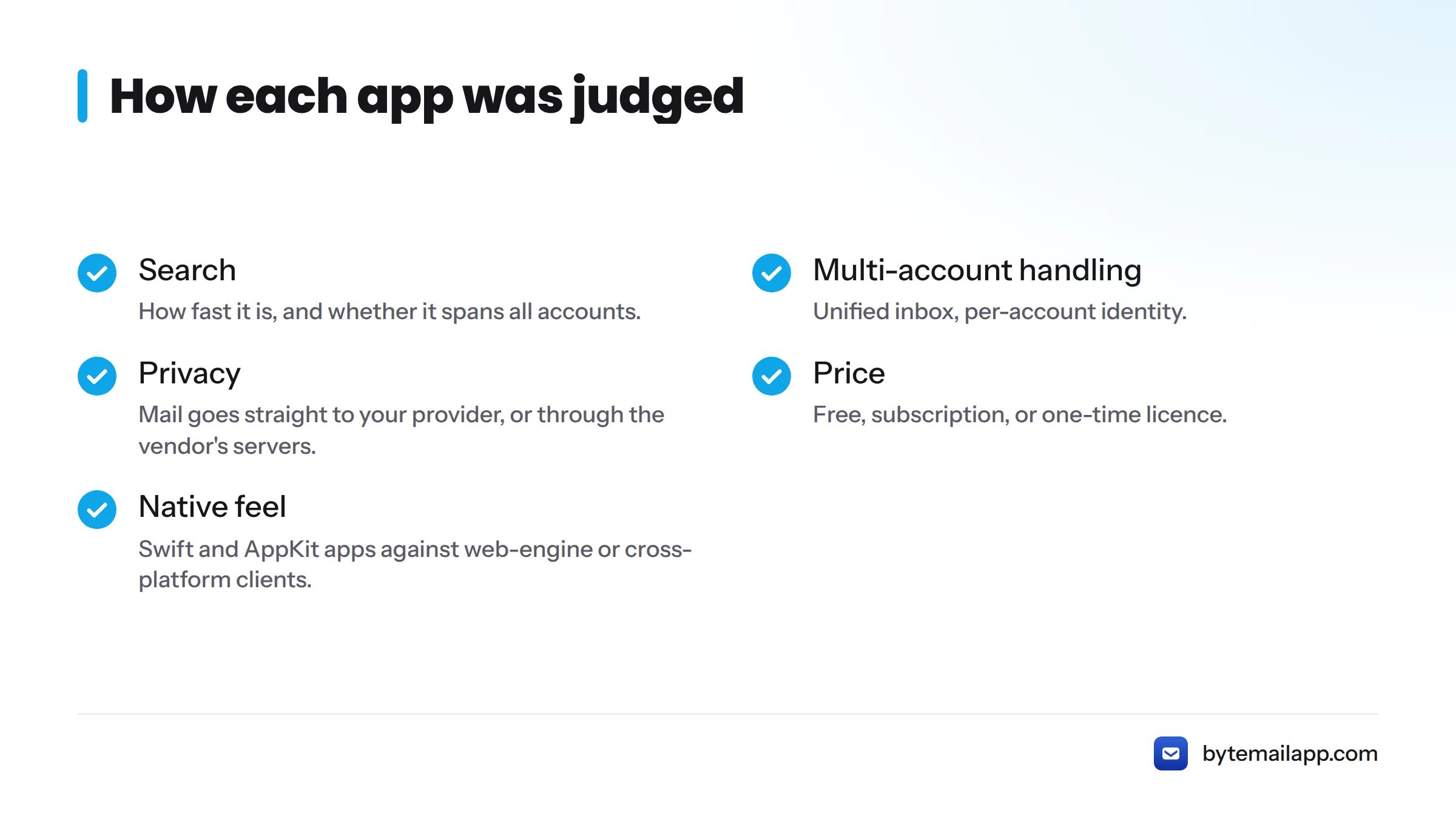
- Search: how fast it is, and whether it spans all accounts.
- Multi-account handling: unified inbox, per-account identity.
- Privacy: does mail go straight to your provider, or through the vendor's servers?
- Price: free, subscription, or one-time licence.
- Native feel: Swift and AppKit apps against web-engine or cross-platform clients.
Disclosure
bytemail is our app, and it had not launched when we wrote this page. The labels come from the criteria above. Prices and features change, so verify them on each vendor's site when you read this.
What Apple Mail Does Well, and Why People Still Look Elsewhere
Where Apple Mail is strong
Apple Mail is free, built into macOS, and handles several providers in one unified inbox. Apple's support documentation covers newer tools such as Undo Send, Schedule Send and Follow Up in the Mail app. For light email use, that covers most needs.
Reasons people switch
The complaints we hear most from our waitlist are search that misses what people remember, and awkward handling once accounts pile up. Others want more power features. We cover the full list in a separate piece on the limitations of Apple Mail, so we won't repeat it here.
If Apple Mail works for you, there is no need to switch. A change only pays off when a specific problem is costing you time.
bytemail: Best for Fast Search Across Many Accounts
Best for: people juggling several mailboxes who need to find things fast. If you want a Mac email app for multiple accounts, this is the case we built it for.
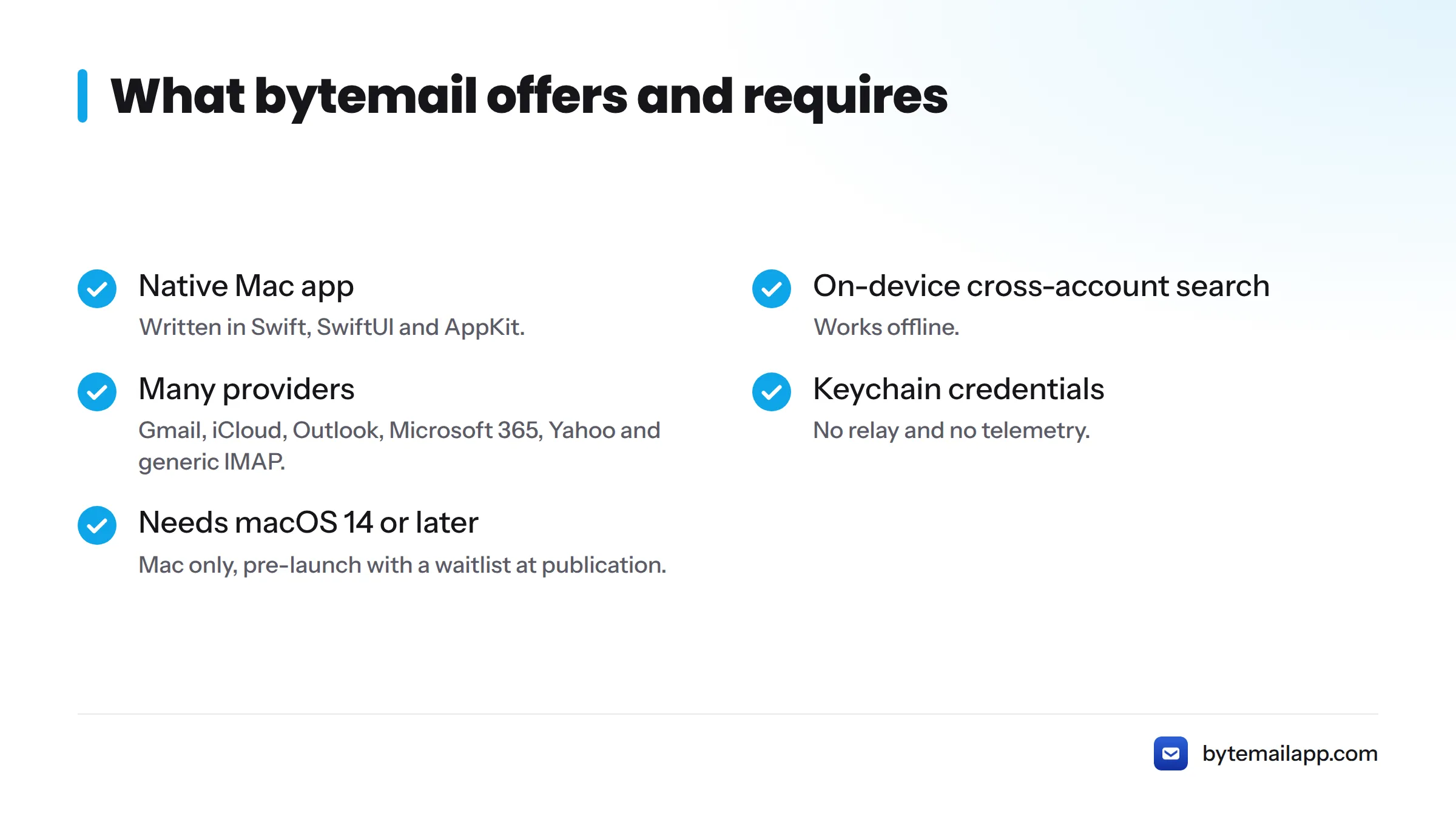
bytemail is a native Mac email app written in Swift, SwiftUI and AppKit. It gives you a unified inbox and on-device cross-account search that works offline. It uses IMAP IDLE for push delivery and supports Gmail, iCloud, Outlook, Microsoft 365, Yahoo and generic IMAP. Credentials live in the macOS Keychain. There is no relay and no telemetry, which is the heart of its privacy-focused design.
Limits: it needs macOS 14 or later, it runs only on Mac, and it was pre-launch with a waitlist at publication. Our Apple Silicon build runs natively on M-series Macs.
Our hands-on note: in waitlist feedback from Apple Mail switchers, search and clarity across many accounts come up more than any other request. Timing figures stay listed as "Not available" until we publish them. See bytemail pricing for plan details, and our guide to multiple email accounts on one Mac app for setup.
Mimestream: Best for Gmail Users
Best for: Gmail-first people who want a real Mac app instead of a browser tab.
Mimestream is a native Mac client built around the Gmail API, so labels and other Gmail concepts map cleanly. The limit is the flip side of that focus: if you also run iCloud or Outlook accounts, it is a poor fit. It is a paid app, so verify the current price on Mimestream's site before buying. If you want more choices, see these Mimestream alternatives. Our Gmail app for Mac page covers how bytemail handles Gmail.
Spark Mail: Best for Smart Triage and Small Teams
Best for: people who want an inbox that sorts itself, and small teams sharing drafts.
Spark offers a Smart Inbox, a Gatekeeper for new senders, and shared drafts. The strongest features sit in paid tiers. Clean Email's roundup notes that Spark processes mail on its own servers, which matters if direct-to-provider privacy is your priority. Check Spark's site for current plans, or compare Spark Mail alternatives.
Airmail, Thunderbird, Canary Mail and Outlook
These four cover narrower needs. Each earns its place for a different reader.
Airmail: Best for Customization and Automation
Airmail suits tinkerers who want to shape the app around their workflow. The trade-off is a steeper learning curve. See Airmail's site for pricing, and these Airmail alternatives if it is not quite right.
Thunderbird: Best Free and Open-Source Option
Thunderbird comes from Mozilla and costs nothing. It handles many accounts, which makes it a solid free Apple Mail alternative. Its interface feels less at home on a Mac. If you outgrow it, here are Thunderbird alternatives.
Canary Mail: Best for Privacy-Minded Users Who Want Encryption Tools
Canary Mail leans on built-in PGP-style encryption tools. Keep in mind that encryption features and privacy architecture are different things, so ask whether the vendor's servers process your mail. More picks are in these Canary Mail alternatives.
Outlook: Best for Microsoft 365 Users
Outlook for Mac fits people whose work lives in Microsoft 365, with calendar and Exchange support that match the rest of the suite. It is heavier than lighter clients. bytemail also connects to Outlook accounts if you prefer a lighter Mac app.
Privacy Architecture at a Glance
"Private" can mean different things, so here is the plain version.
| Approach | What it means | Examples |
|---|---|---|
| Direct to provider | The app talks straight to Gmail, iCloud or your IMAP server | bytemail (no relay, no telemetry), Thunderbird |
| Vendor-server processing | Mail passes through the vendor's servers for features | Spark (per Clean Email's roundup) |
Read each vendor's privacy policy before you connect an account.
Which Apple Mail Alternative Should You Choose?
Here is the quick version.
| If you... | Pick |
|---|---|
| Have many accounts and want fast search | bytemail |
| Live in Gmail | Mimestream |
| Want smart triage or shared drafts | Spark Mail |
| Want maximum customization | Airmail |
| Want free and open source | Thunderbird |
| Use Microsoft 365 | Outlook |
| Want encryption tools | Canary Mail |
| Are happy today | Stay with Apple Mail |
For a broader ranking, read our pick for the best email client for Mac.
Switching is low risk. Your mail stays on your provider's servers, so a new app simply reads it again. If you store mailboxes locally on your Mac, export them first. Step-by-step migration lives in our separate switching guide.
Next steps: join the bytemail waitlist and see how fast cross-account search can feel.
Apple Mail Alternatives FAQ
Why replace Apple Mail?
People usually leave over search that misses messages, clumsy handling of many accounts, or missing power features. If none of those bother you, Apple Mail is a fine choice and you can stay put.
Is there a free Apple Mail alternative?
Yes. Thunderbird is free and open source. Spark has a free tier, and Outlook for Mac offers a free option. Features and limits change, so check each vendor's site for 2026 details.
Will I lose my mail if I switch?
No. Mail stays on your provider's servers, and a new client syncs it again. If you keep mailboxes stored locally on your Mac, export them before you remove anything.
Does a third-party client work with iCloud Mail?
Yes. Third-party apps connect to iCloud Mail over IMAP and usually need an app-specific password generated from your Apple Account. Apple explains the steps in its guide on using iCloud Mail with other email apps.
Is Mac Mail better than Gmail?
It depends on how you work. Apple Mail is a desktop app with a unified inbox across providers. Gmail is a webmail service tied to Google's tools. Many people use a Mac client to read Gmail without opening a browser. See how Gmail and Mac shortcuts differ.
What is the most secure email app for Mac?
No single app wins on every measure. Look at where the app processes mail, whether it stores credentials in the Keychain, and whether it offers encryption tools. Our FAQ lists bytemail's requirements, providers and privacy details.