Superhuman Alternatives for Mac in 2026
The best Superhuman alternatives for Mac in 2026 are bytemail, Spark Mail, Mimestream, Apple Mail, Airmail, and Canary Mail. I ranked them on the three things Superhuman switchers ask about most: speed, keyboard shortcuts, and cost. Full disclosure: bytemail publishes this page, so it sits first on the list, and I explain why below. For a wider view, see our guide to Mac email clients compared.
Here is the problem we hear most. You love how Superhuman feels. You do not love the monthly bill, or the idea that your mail passes through someone else's cloud. If that sounds familiar, apps like Superhuman exist for every budget and every level of privacy concern. Let's break it down.
Six Superhuman Alternatives for Mac at a Glance
Pricing changes often. Treat every figure here as a pointer and check live pricing on each vendor's page before you buy.
- bytemail: best for native, keyboard-first triage with no relay server
- Spark Mail: best for team collaboration
- Mimestream: best for Gmail-only native speed
- Apple Mail: best free option
- Airmail: best for customizable workflows
- Canary Mail: best for built-in encryption features
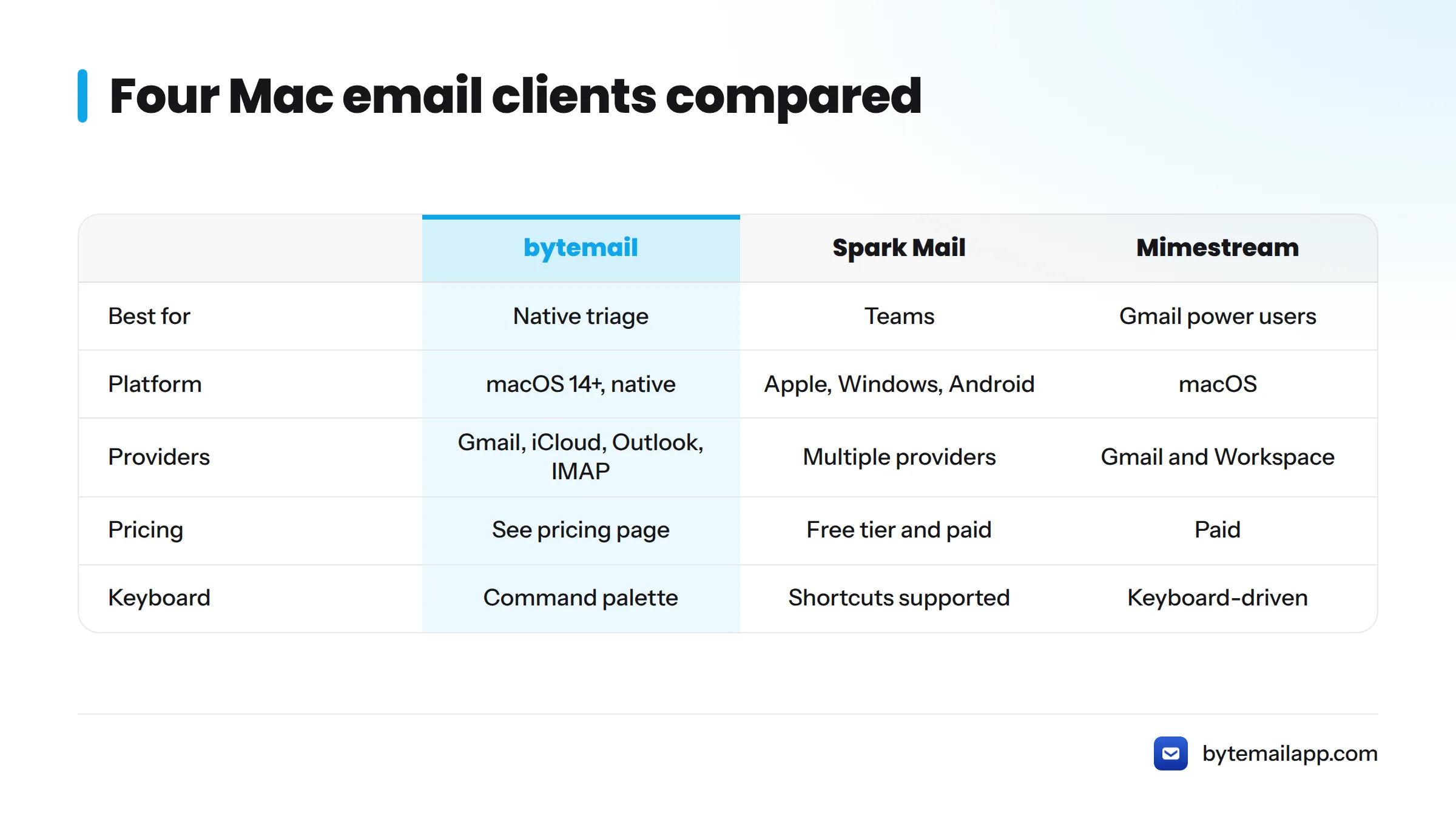
| Product | Best for | Keyboard and shortcuts | Pricing | Platform | Providers |
|---|---|---|---|---|---|
| bytemail | Native keyboard-first triage | Command palette, keyboard-first triage | See bytemail pricing | macOS 14+, native | Gmail, iCloud, Outlook, Microsoft 365, Yahoo, IMAP |
| Spark Mail | Teams | Shortcuts supported | Free tier and paid plans, check Spark's pricing | Apple devices, Windows, Android | Multiple providers |
| Mimestream | Gmail power users | Keyboard-driven | Paid, check Mimestream | macOS | Gmail and Google Workspace |
| Apple Mail | Free, built-in | Standard Mac shortcuts | Included with macOS | Apple devices | Multiple providers |
| Airmail | Custom workflows | Customizable | Check Airmail | Apple devices | Multiple providers |
| Canary Mail | Encryption features | Shortcuts supported | Check Canary Mail | Apple devices and more | Multiple providers |
How I Compared Speed, Shortcuts and Cost
Why these three criteria
People leave Superhuman for a short list of reasons. They want the same fast, keyboard-driven inbox triage, and they want it for less money or with a different architecture. Speed, shortcuts, and cost cover all three motives.
How the scoring works
The scoring is qualitative editorial judgment. I did not run benchmarks, and I make no claim that any product is faster than another. For shortcuts, I asked whether you can finish a full triage pass without touching the mouse. For cost, I looked at what a solo user pays and whether a free tier exists.
The bytemail team also spends its days in keyboard-first mail. That hands-on experience shapes these opinions, and it is why shortcut depth carries so much weight here.
What Superhuman costs today
Superhuman publishes its plans on its official pricing page. Competitor pages from Missive and Mailman have cited roughly $30 per user per month for Superhuman in the past. Prices move, so confirm the current figure on Superhuman's page, not ours. That figure is also the yardstick for anyone shopping for something cheaper than Superhuman.
Native app vs cloud-based client vs relay server
Three terms come up throughout this comparison:
- Native app: built for macOS with Apple's own frameworks, so it runs like other Mac apps. Our page on what makes an email app truly native goes deeper.
- Cloud-based email client: a service that syncs and processes your mail on its servers, then shows it in an app.
- Relay server: the middle hop in that cloud model. Your mail travels through the vendor's server on its way to your screen. A client with no relay server talks straight to your mail provider.
bytemail: A Native Mac Email Client, Keyboard-First, No Relay Server
Best for: Mac users who want Superhuman-style speed without a subscription-first cloud model.
bytemail is a native Mac email client built in Swift and SwiftUI for Apple silicon. It requires macOS 14 or later. It uses IMAP IDLE for push delivery and connects to Gmail, iCloud, Outlook, Microsoft 365, Yahoo, and standard IMAP accounts. As a keyboard-first email client, it pairs a command palette with keyboard-driven triage, so you can move through the inbox without reaching for the mouse. That makes it a practical Superhuman replacement for anyone whose main attachment is the shortcut-heavy workflow. If you search for a Superhuman keyboard shortcuts alternative, this is the closest match on this list.
There is no relay server, so your mail goes directly between the app and your provider. Our page on a private email client with no cloud relay covers the details.
Pros
- Native Mac app with no browser engine
- Command palette and keyboard-first design
- Works with several providers and a unified inbox
Cons
- bytemail is pre-launch, so you may join a waitlist before downloading
- macOS only
Speed, shortcuts, cost: native and built for Apple silicon, keyboard-first by design, and priced to be easy on your wallet. The bytemail pricing page lists monthly, yearly, and lifetime options.
Choose this if you want the Superhuman feel, a Mac-only native app, and no middleman server.
Next step: join the bytemail waitlist or download the app and see how it feels on your own inbox.
Spark Mail: Best for Team Collaboration
Spark Mail from Readdle is a strong pick when email is a team sport. It supports shared drafts and team comments. It runs on Apple devices, with versions for other platforms. The vendor's Spark pricing page lists the current free and paid plans.
Pros
- Built for working with teammates
- Free tier available
- Many provider options
Cons
- Accounts sync through the vendor's cloud services
- Team features matter less for solo users
Choose this if your inbox is shared work. For more, read our Spark Mail alternatives guide.
Mimestream: Best for Gmail-Only Native Speed
Mimestream is a native macOS client built around the Gmail API. If you only use Gmail or Google Workspace, it feels at home on a Mac and supports a keyboard-driven style. That makes it one of the stronger Superhuman alternatives for Gmail users who want a native app. Check its site for the current price and requirements.
Pros
- Native Mac design
- Deep Gmail features
Cons
- Gmail and Google Workspace only
- Paid software
Choose this if every account you own is Gmail. Compare options in our Mimestream alternatives roundup, or read about our Gmail app for Mac.
Apple Mail: Best Free Option
Apple Mail ships with every Mac, so it costs nothing extra. It handles iCloud, Gmail, Outlook, Yahoo, and IMAP accounts, and it follows standard Mac shortcuts. Apple documents its features in the Mail User Guide. If you want a Superhuman email alternative that is free, this is the simplest answer.
Pros
- Free and already installed
- Broad provider support
Cons
- Triage is slower than in keyboard-first clients
- No command palette
Choose this if you want zero cost and zero setup.
Airmail: Best for Customizable Workflows
Airmail lets you tune the interface, actions, and integrations to fit how you work. People who like to tinker tend to gravitate toward it. Review the vendor's page for current plans.
Pros
- Highly customizable
- Supports many accounts
Cons
- More settings to learn
- Subscription pricing may apply, so check live pricing
Choose this if you want to build your own workflow. Our Airmail alternatives page has more.
Canary Mail: Best for Built-In Encryption Features
Canary Mail puts encryption features up front, which appeals to users who handle sensitive mail. Treat this as a vendor feature, not a compliance guarantee, and read its site for details and pricing.
Pros
- Encryption options built in
- Cross-platform apps
Cons
- Cloud-linked features vary by plan
- Check live pricing
Choose this if encryption tops your list. See our Canary Mail alternatives guide.
Which Superhuman Replacement Fits Your Inbox?
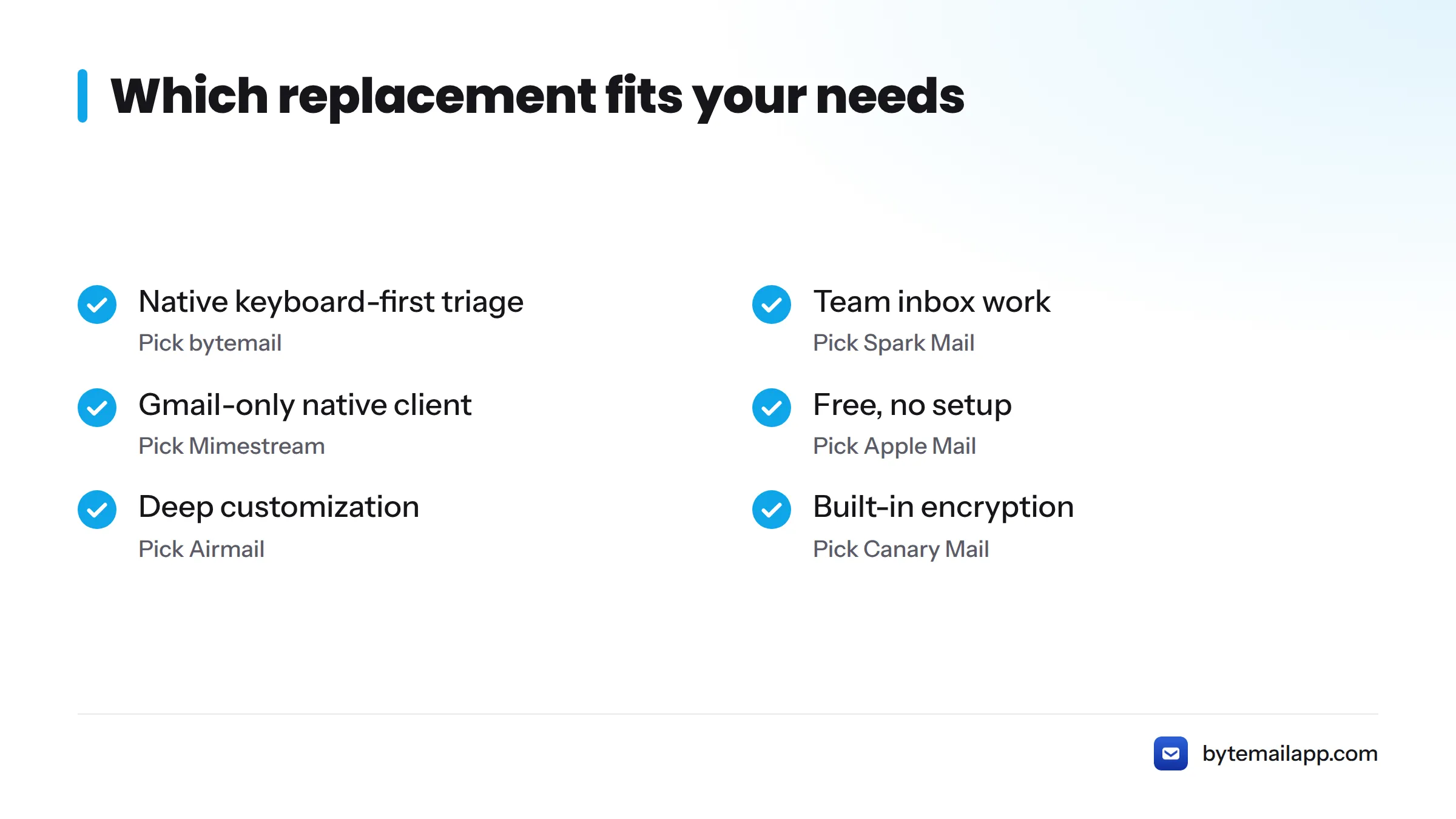
| If you want | Pick |
|---|---|
| Native speed, keyboard-first triage, no relay server | bytemail |
| Shared inbox work with a team | Spark Mail |
| A Gmail-only native client | Mimestream |
| Free, no setup | Apple Mail |
| Deep customization | Airmail |
| Built-in encryption features | Canary Mail |
Who should stay on Superhuman? If you already live in its workflow, the price does not bother you, and you rely on its features daily, switching may cost more time than it saves. We would rather you stay happy than switch for the sake of it.
Curious how a keyboard-first workflow feels on your Mac? Try bytemail. You can also skim Gmail shortcuts vs Mac shortcuts to see which habits carry over.
Superhuman Alternatives FAQ
Is there a cheaper alternative to Superhuman?
Yes. Apple Mail is free, Spark Mail has a free tier, and bytemail offers monthly, yearly, and lifetime options on its pricing page. Compare each against Superhuman's official pricing before you decide.
Which alternative has a command palette?
bytemail is built around a command palette and keyboard-first triage. Check other vendors' feature pages for their own command or search shortcuts.
Do Superhuman alternatives work with Gmail and Outlook?
Most do. bytemail supports Gmail, Outlook, Microsoft 365, iCloud, Yahoo, and IMAP. Apple Mail handles these too, while Mimestream is Gmail-only. See our Outlook client page for details.
Is there a free version of Superhuman?
Superhuman lists its plans and any trials on its official pricing page. Check it for the current offer. If you need a free client today, Apple Mail is the simplest choice.
Is Superhuman better than Gmail?
It depends on what you value. Superhuman adds a faster, keyboard-centered interface on top of your mail. Gmail is free and works in any browser. If you want that speed without a subscription, a native Mac client is a middle path. Our guide to webmail client alternatives explains the trade-offs.
Sources
- Superhuman Pricing, Superhuman
- Spark Pricing, Readdle
- Mimestream, official site
- Mail User Guide for Mac, Apple Support
- Airmail, official site
- Canary Mail, official site
- bytemail Pricing, bytemail
Related: Mac email clients compared