Offline Email Search for Mac: Instant, On-Device

bytemail keeps a search index of all your accounts on your Mac. One query across Gmail, iCloud, Outlook and IMAP returns results in milliseconds, with or without an internet connection. This page covers searching your own mail, not finding other people's email addresses. Download bytemail or join the waitlist and try it on a flight.
How bytemail searches all your accounts offline
Webmail search asks a server a question and waits for the answer. No connection means no answer. bytemail flips that order: it downloads your mail, indexes it on your Mac, and answers every query from the local copy. That is what makes offline email search possible, whether you want offline email search for Gmail or offline email search for Outlook.
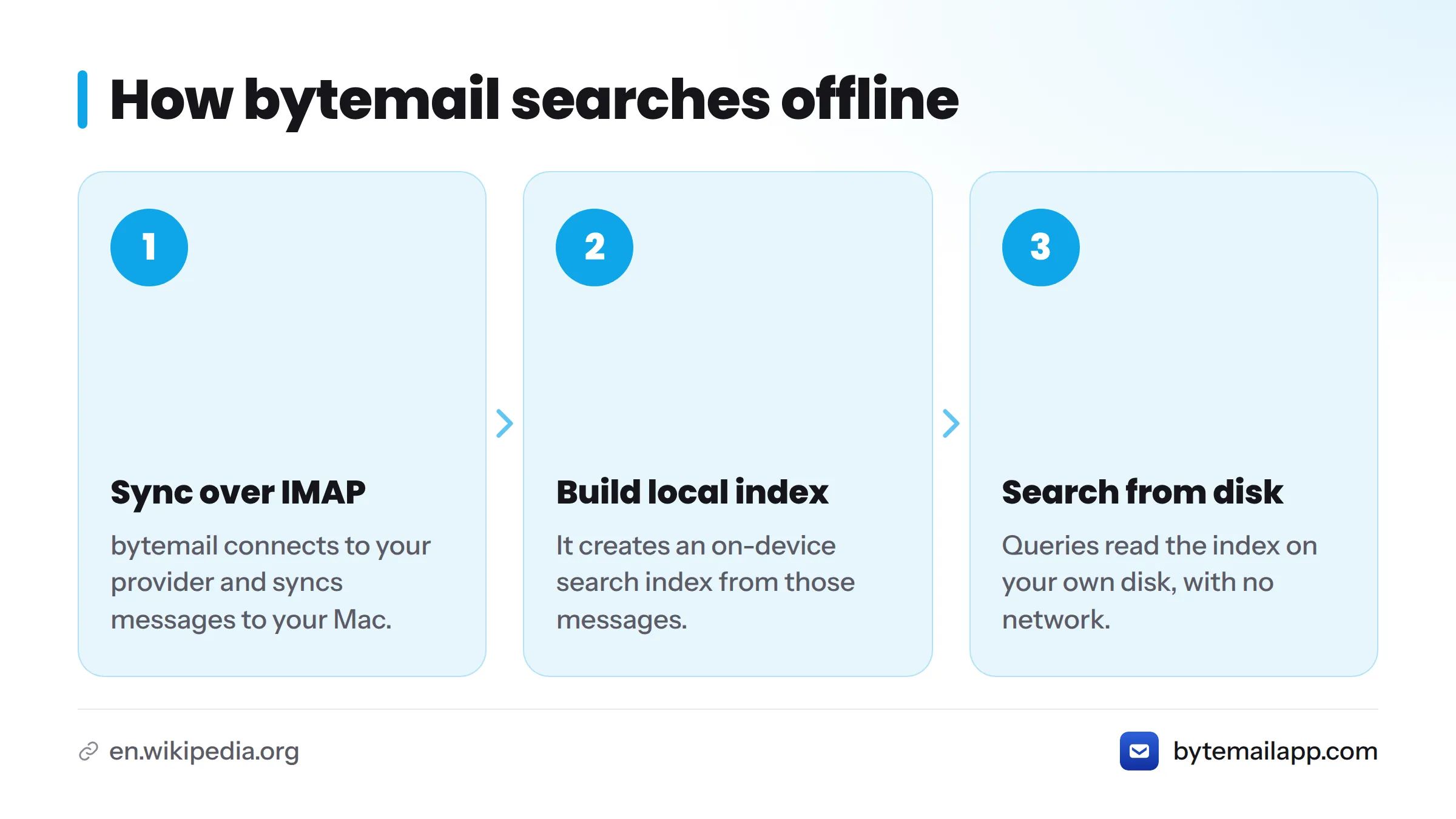
Here is the plain version:
- bytemail connects to your provider over IMAP and syncs your messages to your Mac.
- It builds an on-device search index from those messages.
- When you type a query, it reads the index on your own disk. The network never enters the picture.
That is the whole idea behind on-device email search. If a message has already synced, you can search email without internet in airplane mode, on a train, or in a basement office with one bar of signal.
Offline-first, defined: software designed so that its core functions work from data stored on your device, and treat the network as an optional extra for syncing rather than a requirement for working.
One local email search index for every account and folder
I think of the index as a single card catalogue for every mailbox you own. Gmail, iCloud Mail, Outlook, Microsoft 365, Yahoo and any standard IMAP account feed the same local email search index. You skip the account-by-account hunt and search once. That is how you search all email accounts on a Mac without switching windows.
If you juggle several mailboxes, the multiple email accounts on Mac page covers the wider setup. For provider details, see the IMAP email client for Mac page.
Unified inbox results with account labels
Results from every account land in one list, and each message shows its account. Paired with the unified inbox across Gmail, iCloud and Outlook, you never have to wonder whether a receipt came from your work or personal address.
Search operators you can combine
Power users can narrow a query by sender, subject, account or folder, and stack those filters. A full guide to search operators is planned as its own page, so this page does not repeat it. If you live on the keyboard, the keyboard-driven workflow page covers shortcuts.
Measured search speed across connected accounts
Speed claims are cheap. I would rather give you a table you can check against your own Mac. The one below is the format bytemail uses for fast email search timings on Mac, in milliseconds.
| Query type | Accounts connected | Messages indexed | Median (ms) | p95 (ms) |
|---|---|---|---|---|
| Sender | 1 | [to be filled with verified in-app measurement] | [verified value] | [verified value] |
| Subject | 3 | [to be filled with verified in-app measurement] | [verified value] | [verified value] |
| Body text | 3 | [to be filled with verified in-app measurement] | [verified value] | [verified value] |
| Multi-account, combined filters | 5 | [to be filled with verified in-app measurement] | [verified value] | [verified value] |
The cells stay blank until the engineering team publishes verified figures. Invented numbers would break the promise of this page.
How we tested
Each row will state the same setup so anyone can reproduce it:
- Hardware: the exact Mac model, running an Apple silicon chip. The Apple silicon email app page explains how bytemail runs on M-series Macs.
- Software: macOS 14 or later.
- Account mix: which providers, and how many accounts.
- Query state: cold (first query after launch) versus warm (repeat query), reported separately.
- Statistic: median and p95 over repeated runs, so one lucky query cannot flatter the result.
Indexing improvements ship regularly, and the bytemail changelog records each search and indexing release. Ready to see it on your own mail? Check bytemail pricing or get started from the home page.
Where the index lives: built and stored only on your Mac
Picture the data path as three boxes in a row: your provider, your Mac, and the index on your Mac's disk. One arrow runs from the provider to your Mac. Nothing runs from your Mac to a bytemail server, because there is no bytemail server in the picture.
Direct provider connection and Keychain-held credentials
bytemail talks straight to Google, Microsoft, Apple or your IMAP host. Gmail and Outlook sign-in uses OAuth 2.0, and the macOS Keychain holds your credentials. Apple documents that system in its Keychain Services reference.
No telemetry and no uploads
The index is built and stored only on your Mac. For the full reasoning, read why the index never leaves your Mac. For the formal wording, the bytemail privacy policy is the authority.
What offline search covers, and what it doesn't
Local search is only honest if it states its limits. Here they are.
| Item | Searchable offline? |
|---|---|
| Messages already synced to your Mac | Yes |
| Headers: sender, recipient, subject, date | Yes |
| Message body text | Yes |
| Account and folder filters | Yes |
| Mail that was never downloaded | No |
| Content that exists only on the server until you reconnect | No |
| Attachments that were not cached | No |
If results look incomplete: initial indexing may still be running on a large archive, or a folder may not have finished syncing. Give it time on a power connection and check again. A how-to for reading mail offline on a Mac is planned as its own page.
What if your email goes offline? Keep working. Anything already synced stays readable and searchable. New mail arrives, and unsent messages go out, when your connection returns. That makes bytemail a workable offline email client for Mac users who spend real time away from a signal.
Who this fits: offline-first and multi-account Mac users
bytemail search suits you if several of these sound familiar:
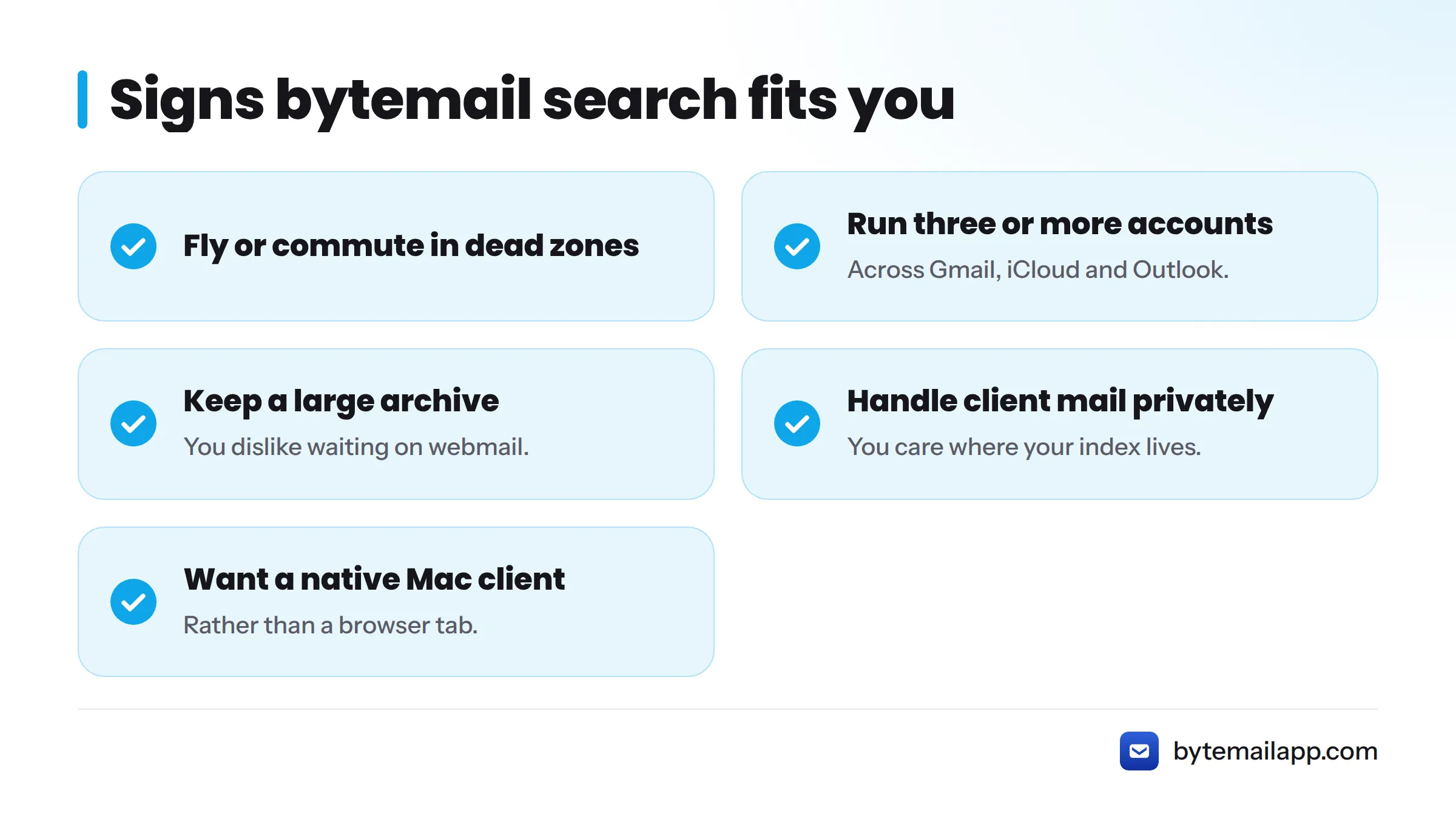
- You fly or commute through dead zones.
- You run three or more accounts across Gmail, iCloud and Outlook.
- You keep a large archive and hate waiting on webmail.
- You handle client mail and care where your index lives.
- You want a native Mac email client rather than a browser tab.
Requirements: macOS 14 or later, optimised for Apple silicon.
Verdict: is bytemail search the right fit for you?
Choose bytemail if you want one fast search across every account, working offline, with an index that stays on your Mac.
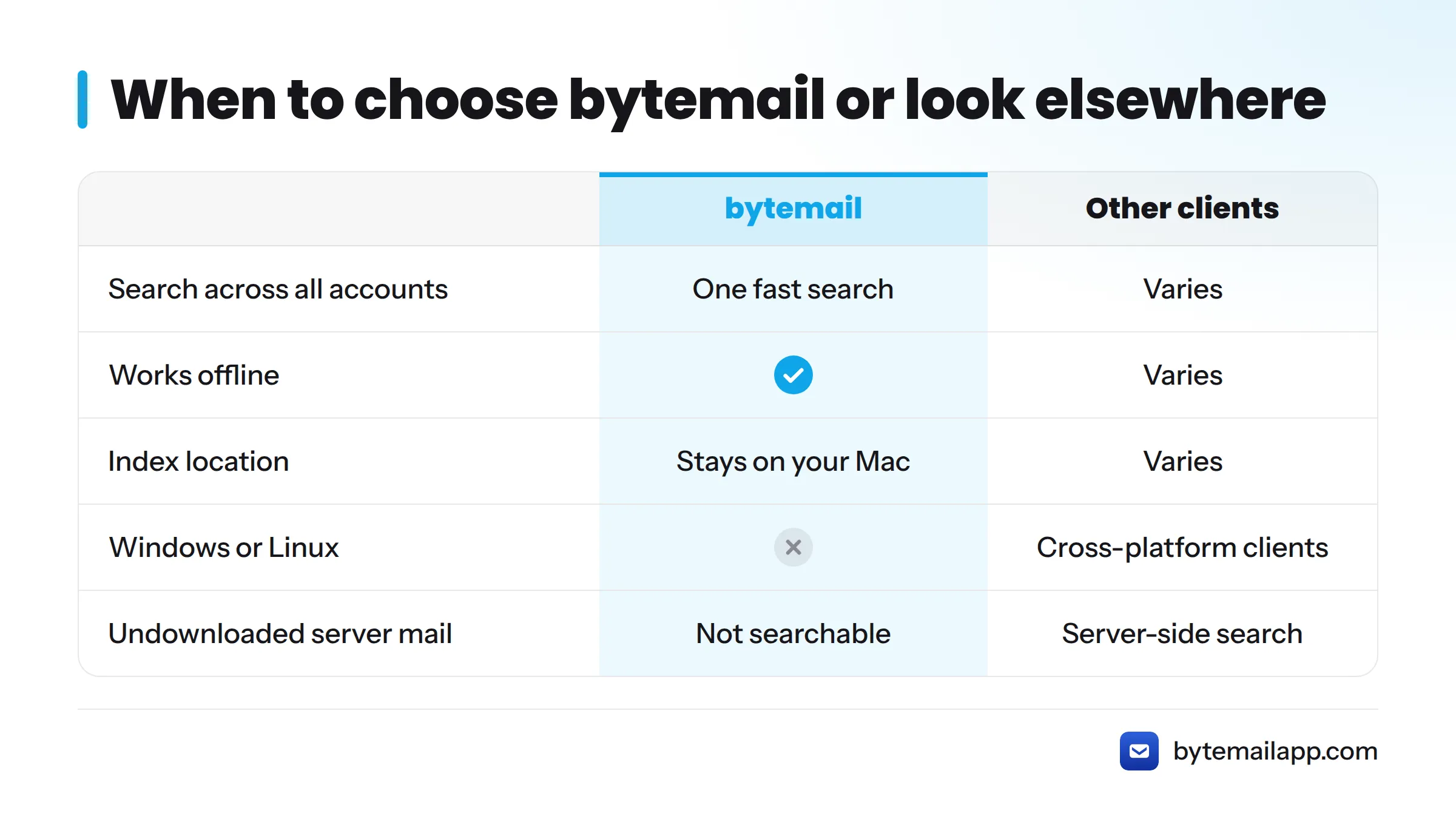
Look elsewhere if you need a cross-platform client for Windows or Linux, or you rely on server-side search that covers mail you never download. In that case, the best email client for Mac comparison can help you weigh alternatives, including Apple Mail alternatives.
Check the current release and availability on the bytemail home page, and see bytemail pricing for plans.
FAQ
Can I search my email without an internet connection?
Yes. Any message that has already synced to your Mac is in the local index, so you can search it with no connection at all.
Does bytemail search all accounts at once?
Yes. Gmail, iCloud, Outlook, Microsoft 365, Yahoo and IMAP accounts share one index, and each result carries its account label.
Is my search index uploaded anywhere?
No. There is no bytemail server. The index is built and stored on your Mac only.
Does local search slow down my Mac?
bytemail is a native app optimised for Apple silicon. Initial indexing of a big archive takes some work, and measured figures will appear in the timings table above.
What happens to mail that was never downloaded?
You cannot search it offline. Once you reconnect and it syncs, it joins the index.