Native Mail App: What It Is and Why It Matters

A native mail app is an email client built for one operating system, using that platform's own frameworks and interface parts instead of running a website or browser engine inside a window. On a Mac, that means Swift and AppKit talking to macOS directly. A web-based mail app lives in a browser tab. Let's break down what that difference means for you.
Full disclosure: bytemail publishes this article, and we build a native macOS mail client. We will point to our own experience where it helps. We will also tell you where going native costs you something.
What Does Native Email Mean? The Short Answer
People use "native mail app" loosely. In support threads, it often means the mail app that came with a phone. In app marketing, it can mean almost anything. Here is the plain version.
A native mail app is an email client written for a single platform using that platform's own toolkit. System controls draw the interface. Credentials, notifications, and search plug into system services. No website sits in the middle pretending to be an app.
If you have ever searched "what is a native app" or "what does native email mean," that is the whole idea. On the Mac, the toolkit is AppKit, Apple's framework for windows, menus, buttons, and text. Developers usually pair it with the Swift) language, and sometimes with SwiftUI, Apple's newer declarative layer. A Swift native email app is simply one built this way.
Native and built-in are different things
Many searchers really want to know about the mail app that ships with their device. That app is Apple Mail, and it is both native and built in. The two words answer different questions:
- Native describes how an app is built.
- Built-in describes how an app arrives on your device.
A third-party Mac mail client can be fully native without shipping with macOS. Apple Mail is just the most familiar example of both.
Native macOS app meaning, in daily use
A native macOS app is compiled for the Mac and runs on Apple silicon and Intel as a Mac program. It follows Mac conventions for menus, windows, and shortcuts. It behaves like a resident of the system, not a guest.
Native vs Web App Email: Where the Differences Sit
Mail software comes in three common shapes. What separates them is who draws the interface and who builds the bridge to your computer.
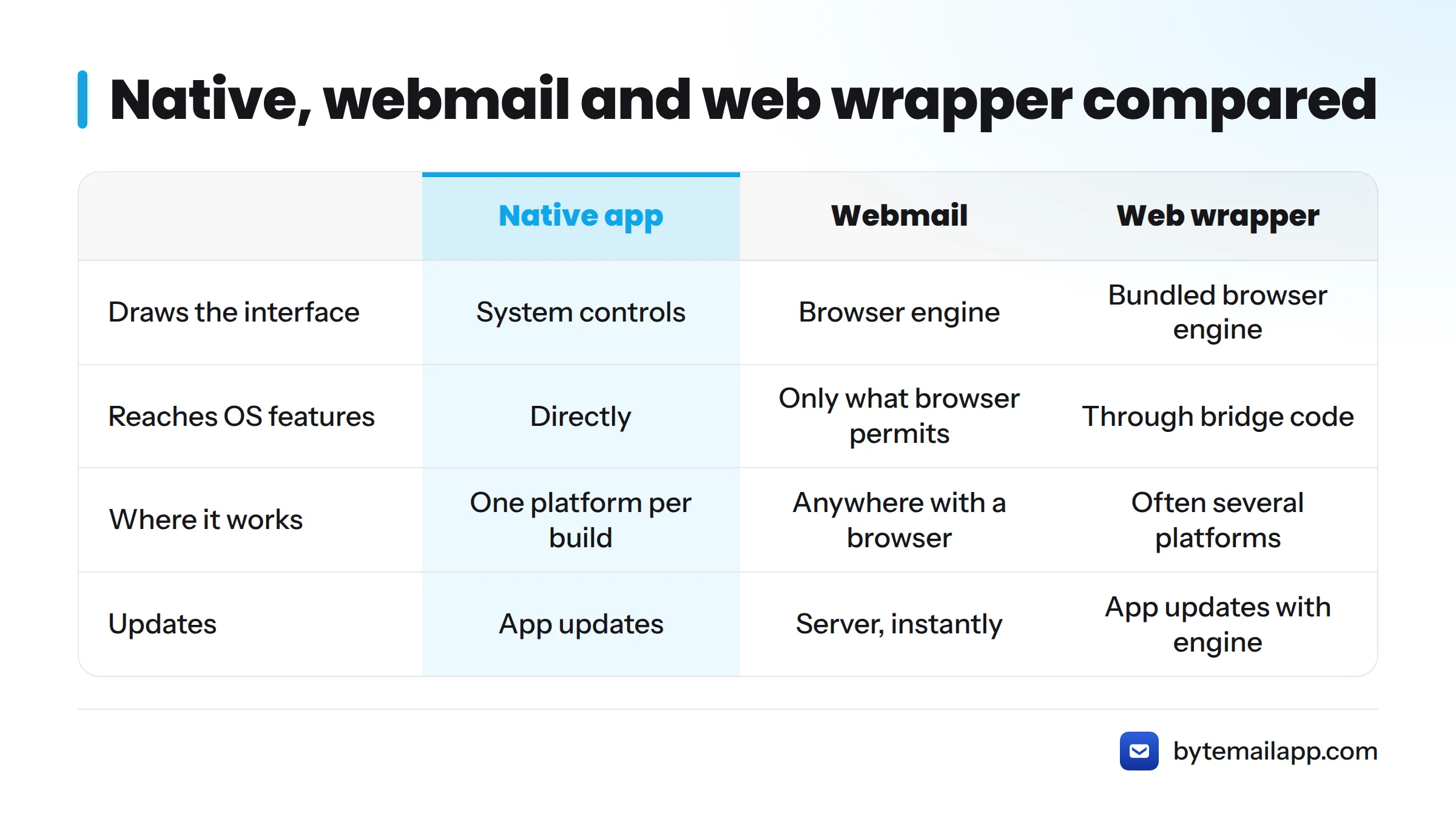
| Native mail app | Web-based mail app (webmail) | Web wrapper | |
|---|---|---|---|
| What it is | Program built for one OS with its frameworks | Website you open in a browser | A website packaged inside an app shell |
| What draws the interface | System controls (AppKit on Mac) | The browser engine | A bundled browser engine, such as Electron |
| How it reaches OS features | Directly, through system frameworks | Only what the browser permits | Through extra code that bridges web and OS |
| Where it works | One platform per build | Anywhere with a browser | Often several platforms from one codebase |
| Updates | Shipped as app updates | Change on the server, instantly | Shipped as app updates, usually bundling the engine |
None of these is wrong. Each one trades something for something else. If you want the full technical comparison, look for our piece on native vs Electron email clients. If a web-based mail app is your current home, our webmail alternatives for Mac page shows what moving to a desktop client looks like.
What macOS Hands a Native Mail App
macOS already provides several parts that a mail client needs. A native app calls them instead of rebuilding them. Here is what that looks like for mail.
Keychain holds your credentials
Apple's Keychain services store passwords and tokens in a system-managed secure store. A native mail app asks macOS to hold the secret rather than inventing its own storage. bytemail keeps OAuth tokens and passwords in the macOS Keychain, and you can see the entries in Keychain Access.
Notifications and the Dock badge
The User Notifications framework gives apps banners, sounds, and Dock badge counts that obey your Focus and notification settings. On the mail side, the server does its part through a protocol feature: IMAP IDLE lets a server tell the client that new mail arrived. The native app then passes that news to macOS as an ordinary notification. If IMAP is new to you, our IMAP explainer covers the basics, and the IETF IMAP4rev1 specification is the formal reference.
Spotlight and system search
Core Spotlight lets an app describe its content so system search can find it. A native client can offer that hook without building a separate system. What a given app indexes is up to its developer.
Accessibility and VoiceOver
Standard AppKit controls carry accessibility information by default, which is how VoiceOver, Apple's screen reader, can describe buttons and lists. Apple documents this on its accessibility developer page. Developers still need to label custom views well, but standard controls give them a good starting point.
From our build: When we built bytemail, the pleasant surprise was how much we did not have to write. Credential storage, notification delivery, and the baseline accessibility behavior of lists and buttons came from the system. Our time went into mail itself: IMAP handling, threading, and the interface. This is our own experience, not a benchmark.
What a Web Wrapper Has to Emulate
A web wrapper packages a website in an app shell. The interface is still web content. To feel at home on a Mac, the wrapper's developers write code that connects that content to notifications, credential storage, menus, and more.
Wrappers can and do use system features, and that deserves a fair mention. The real difference is who builds and maintains the bridge. In a native app, Apple maintains the bridge as part of its frameworks. In a web wrapper, the app team (or a library) has to keep that layer working across every OS update.
Here is how the layers stack up:
| Layer | Native Mac app | Web wrapper |
|---|---|---|
| Top | Mail interface in AppKit controls | Mail interface as web pages |
| Middle | Directly calls system frameworks | Embedded browser engine plus bridge code |
| Bottom | macOS | macOS |
Fewer layers do not guarantee a better app. They do leave fewer places for behavior to drift from the rest of the Mac.
Why Use a Native Email Client on a Mac
These are the benefits of native Mac apps that show up in daily use:
- Mac look and behavior. Menus, text fields, and window handling act the way your other Mac apps do.
- System hooks. Keychain, notifications, and Spotlight support come from the platform.
- Accessibility. Standard controls expose their roles and labels to VoiceOver.
- Keyboard and menu conventions. Familiar shortcuts and menu-bar commands tend to work as expected. Our keyboard-driven workflow page shows how we handle it.
- Apple silicon support. A native build can target Apple's chips directly. We cover that on our Apple silicon email page.
- Local features. Because the app runs on your Mac, it can keep a local mail store for offline reading and search.
For privacy-minded readers, there is one more point. A native client can connect your Mac straight to your email provider. bytemail works this way, with no bytemail cloud relay or sync host in between, and search and smart categorization run on-device. A web-based mail app, by design, does its work on a server.
Want to see how this plays out? Our page on what makes a true native macOS email app walks through it, and bytemail's native Mac features list what we ship. Prefer to compare options? Start with the best native Mac email client overview.
The Costs of Going Native
Native does not automatically mean better. Here is what you give up:
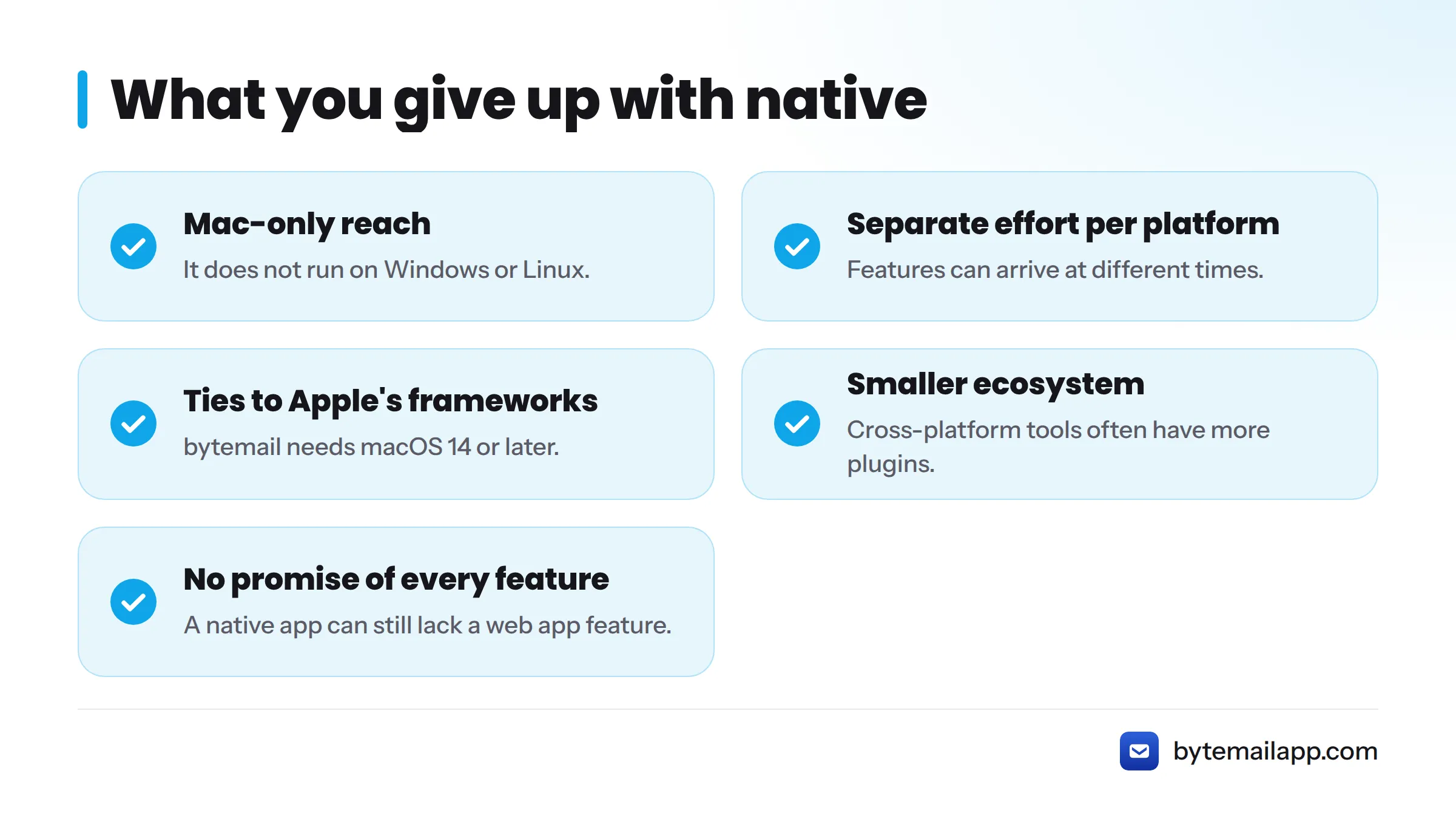
- Mac-only reach. A Mac-native app does not run on Windows or Linux. If you switch platforms, you switch apps.
- Separate effort per platform. Each platform needs its own build, so features can arrive at different times.
- Ties to Apple's frameworks. The app follows Apple's direction and OS requirements. bytemail needs macOS 14 or later.
- A smaller ecosystem. Cross-platform tools often have more plugins and a bigger pool of shared code.
- No promise of every feature. A native app can still lack a feature a web app has. Check the features you need.
One more note: bytemail was at waitlist stage when this article was written, so check our FAQ for current requirements and provider support.
How to Tell Whether a Mail App Is Truly Native
No single sign proves it. Several together paint a clear picture:
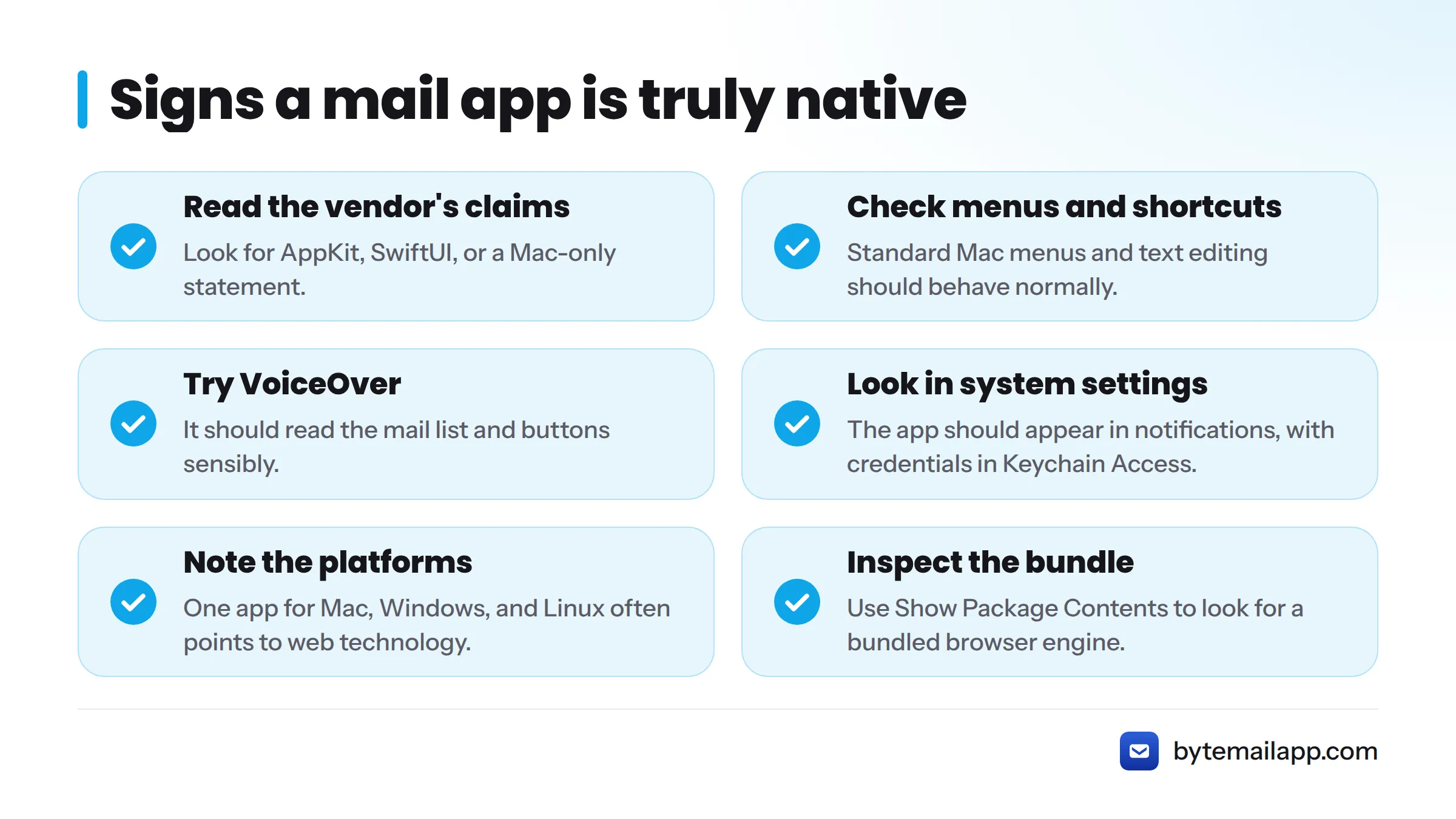
- Read what the vendor says. Look for named frameworks such as AppKit or SwiftUI, or a plain "Mac-only" statement.
- Check menus and shortcuts. Do standard Mac menus, text editing, and shortcuts behave normally?
- Try VoiceOver. Can it read the mail list and buttons sensibly?
- Look in system settings. Does the app appear in notification settings, and are its credentials in Keychain Access?
- Note the platforms. One app for Mac, Windows, and Linux often points to shared web technology, though not always.
- Inspect the bundle, if you are comfortable. Right-click the app, choose Show Package Contents, and see whether a bundled browser engine is inside.
Next steps: our overview of the best native Mac email client shows these signs in a real native macOS mail client, and our homepage shows the product itself.
FAQ
What does "native email" mean?
Native email means an email client built specifically for one operating system, using that system's own frameworks and controls. It is not a website in a browser or a web page wrapped in an app shell. On a Mac, it is typically written in Swift with AppKit.
Is Apple Mail a native mail app?
Yes. Apple builds Apple Mail for its own platforms and ships it with them, so it is both native and built in. Third-party apps can be native too, without being built in.
Is a native mail app the same as a built-in mail app?
No. Native describes how the app is built. Built-in describes how it arrives on your device. Apple Mail is both, but many native apps install separately.
Is a web wrapper app native?
Generally no. A wrapper shows web content inside an app shell, often using a bundled engine such as Electron. It can reach system features through bridge code, but its interface is still web-based.
Do native mail apps work with Gmail and Outlook accounts?
Usually, yes. Native clients commonly connect to Gmail, Outlook, iCloud, and other providers through standards such as IMAP and sign-in flows like OAuth. Support varies by app, so check the provider list. Our IMAP client page explains how we handle it.
Are native mail apps Mac-only?
A Mac-native app is. Each platform needs its own native build, so a client native to macOS will not run on Windows or Linux. Some vendors build separate native apps for several platforms.
Sources
- AppKit documentation, Apple Developer
- Keychain services documentation, Apple Developer
- User Notifications documentation, Apple Developer
- Core Spotlight documentation, Apple Developer
- Accessibility, Apple Developer
- RFC 3501: IMAP Version 4rev1, IETF
- RFC 2177: IMAP4 IDLE command, IETF
- Electron, OpenJS Foundation project site