Gmail Alternatives for Mac: Best Options in 2026

The best Gmail alternatives for Mac fall into two groups. Native Mac email clients keep your Gmail account and replace only the app: Apple Mail, Mimestream, Outlook, Spark, and bytemail. Other email services replace Gmail itself: Proton Mail, Fastmail, and iCloud Mail. Pick by whether you want a new app or a new address.
Disclosure: bytemail publishes this article, and bytemail is one of the options below. I'll tell you where it fits and where it doesn't. Facts about other products come from their own documentation, and I checked them in October 2026.
Most "Gmail alternative" lists blur two different problems. Maybe you like your Gmail address but hate living in a browser tab. Or maybe you want out of Google's ecosystem altogether. Those need different answers, so let's break it down.
Gmail Alternatives for Mac at a Glance
Here is the short version. "Client" means an app that reads mail from a provider. "Service" means the provider that stores your mail.
| Option | Type | Keeps your Gmail address? | Native Mac app? | Best for |
|---|---|---|---|---|
| bytemail | Client | Yes | Yes (native macOS) | Gmail users who want a fast, private, native app |
| Apple Mail | Client | Yes | Yes, built in | Free and simple |
| Mimestream | Client | Yes (Gmail only) | Yes | Gmail-only users |
| Outlook for Mac | Client | Yes | Yes | Microsoft 365 workplaces |
| Spark | Client | Yes | Yes | Shared inbox and team features |
| Thunderbird | Client | Yes | Cross-platform | Free, open source |
| Proton Mail | Service | No, new address | App plus web | Encryption-first privacy |
| Fastmail | Service | No, new address | Web plus IMAP clients | Paid, ad-free, standards-friendly |
| iCloud Mail | Service | No, new address | Built into macOS | Apple ecosystem users |
Client vs service in one sentence: an email client is the app you read mail in, while an email service is the company that holds your mailbox and address. You can swap the first without touching the second.
How I Chose These Gmail Client Alternatives for macOS
Every entry had to pass four checks. Here is why each one matters.
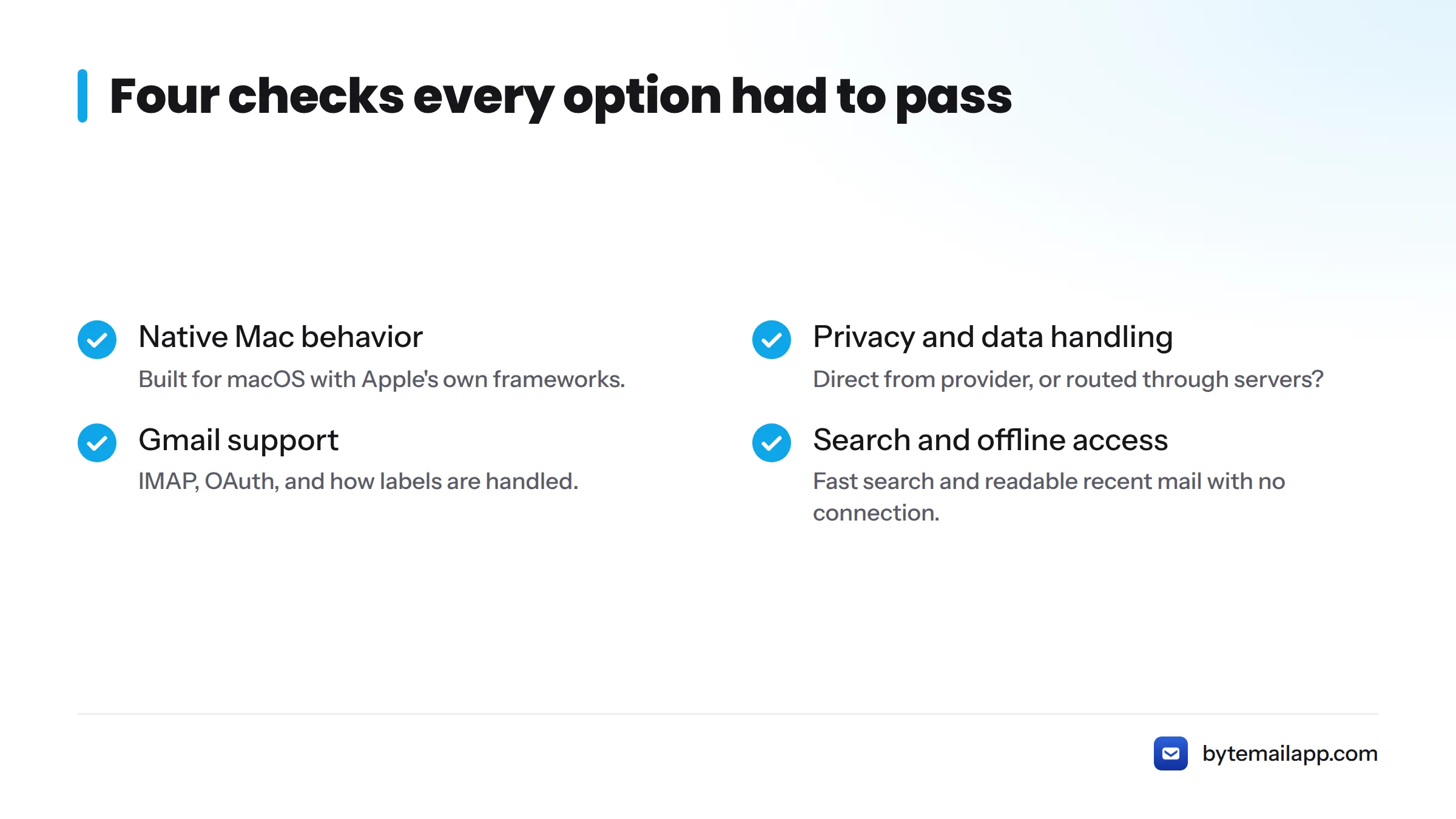
Native Mac behavior
A native app is built for macOS with Apple's own frameworks. It typically launches quickly, follows system conventions, and uses less memory than a wrapped website. I cover what that means day to day on the native macOS email app page.
Privacy and data handling
A client can read your mail directly from your provider, or it can route mail through its own servers. A service can promise end-to-end encryption, or it can scan your mail to power features. I note which is which, using vendor documentation.
Gmail support: IMAP, OAuth, labels
IMAP is the standard protocol that lets any client read mail stored on a server. Google documents how to turn on IMAP in Gmail. OAuth 2.0 lets you approve an app through Google's own sign-in page, so the app never sees your password. For more on the protocol side, see bytemail's IMAP client page.
Labels are Gmail's twist. A message can carry several labels at once. Over IMAP, Google maps each label to a folder-like view, as its guide to labels and IMAP explains.
Search and offline access
Gmail's search is excellent online. A good alternative should search quickly and let you read recent mail with no connection. I flag each option's approach.
Option 1: Native Mac Clients That Keep Your Gmail Account
These keep your address, your history, and your Google storage. You only change the window you look through. The switch is also reversible: if you dislike a client, remove the account and go back.
Apple Mail
Apple Mail ships with every Mac and can add a Gmail account through Apple's Mail account setup. It is free, familiar, and decent at unified inboxes. The trade-off: Gmail labels show up as mailboxes, which some people find clunky. If you are weighing a move away from it, see these Apple Mail alternatives.
Mimestream
Mimestream is a native Mac client built for Gmail and Google Workspace, so it handles labels in a Gmail-like way. The catch is the focus. It supports Gmail only, so if you also run iCloud or Outlook accounts, you will want something broader. Compare options in these Mimestream alternatives.
Outlook for Mac
Microsoft Outlook for Mac can connect Gmail accounts alongside Microsoft 365 mail and calendars. It suits people whose employer lives in Microsoft's world. Expect a heavier app than the lightest options. If you run both providers, see bytemail's Outlook on Mac page.
Want the full ranked field? Read the best email client for Mac guide.
Option 2: Email Services That Work as a Private Gmail Alternative
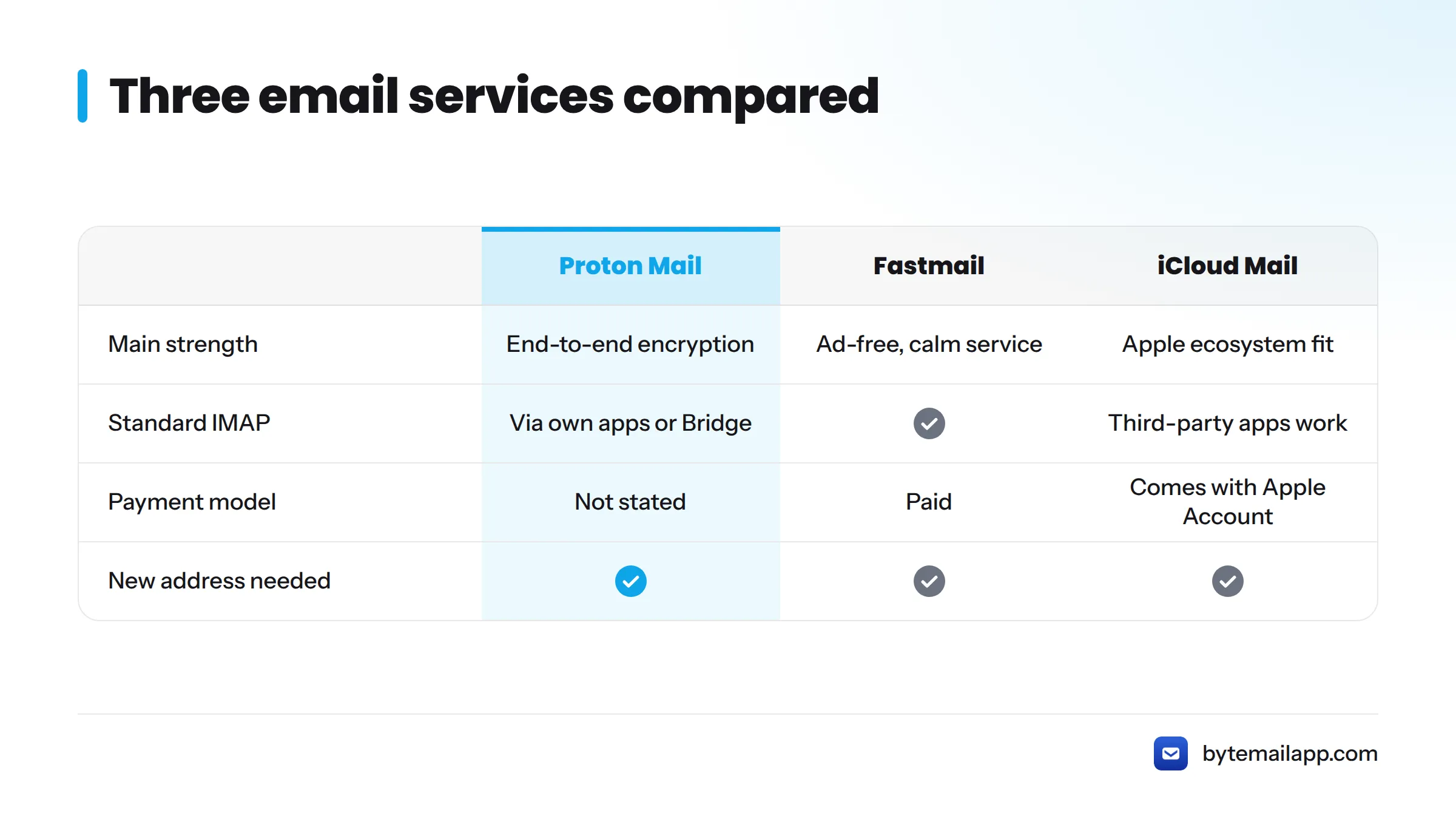
This path means a new address. It is the real answer to "I want out of Google," and the right place to look if you want the best email service instead of Gmail. Here is what each service offers.
Proton Mail
Proton Mail is built around end-to-end encryption, and Proton publishes its approach in its security documentation. Encrypted mailboxes work differently from ordinary IMAP, so Proton asks desktop-client users to go through its own apps or Bridge. If privacy comes first for you, this is the strongest service-level pick here.
Fastmail
Fastmail is a paid, ad-free service with standard IMAP support, so almost any Mac client can connect to it. You pay with money instead of attention. It fits anyone who wants a calm, conventional Gmail replacement on Mac and plans to keep using a native client.
iCloud Mail
iCloud Mail comes with an Apple Account and works across Mac, iPhone, and iPad. It is the easiest move for people already deep in Apple's ecosystem. You can also read it in a third-party app, as bytemail's iCloud Mail integration page shows.
What moving the service means: you get a new address, you set up forwarding from Gmail for a while, and you migrate your old mail. Plan for a transition of weeks, not a single afternoon.
If you want a broader look at private setups, see how a privacy-focused Mac email client works.
Option 3: Other Gmail-Compatible Clients Worth a Look
Spark
Spark adds shared inboxes and collaboration features to a Gmail account. Check Spark's own documentation on how it handles your mail before you connect a sensitive account. Other directions are covered in these Spark Mail alternatives.
Thunderbird
Mozilla Thunderbird is free, open source, and cross-platform, and it works with Gmail over IMAP. It rewards tinkerers more than people who want a Mac-polished feel. If it feels dated, browse these Thunderbird alternatives.
bytemail: A Native Mac Gmail Client (Publisher Disclosure)
You are reading bytemail's site, so weigh this section accordingly. I won't call bytemail objectively the best. Here is what it is.
bytemail is a native macOS email client written for Mac rather than wrapped around a website. It keeps your Gmail account and connects over IMAP and OAuth, with no bytemail relay or sync server in the middle. Passwords and tokens live in the macOS Keychain. Search runs on your Mac, so it works offline, and a unified inbox pulls multiple accounts into one window. It requires macOS 14 or later and is optimized for Apple silicon. The FAQ covers requirements and providers.
Status: bytemail has not launched yet, and we are collecting waitlist sign-ups. If that has changed, the homepage will say so. Read using Gmail in a native Mac app for the details, or check pricing for plans.
My honest take: if you want to keep your Gmail address and want the app to disappear into macOS, bytemail is built for exactly that. If you want a different address, no client can do that for you.
What Gmail Users Miss Most When They Switch
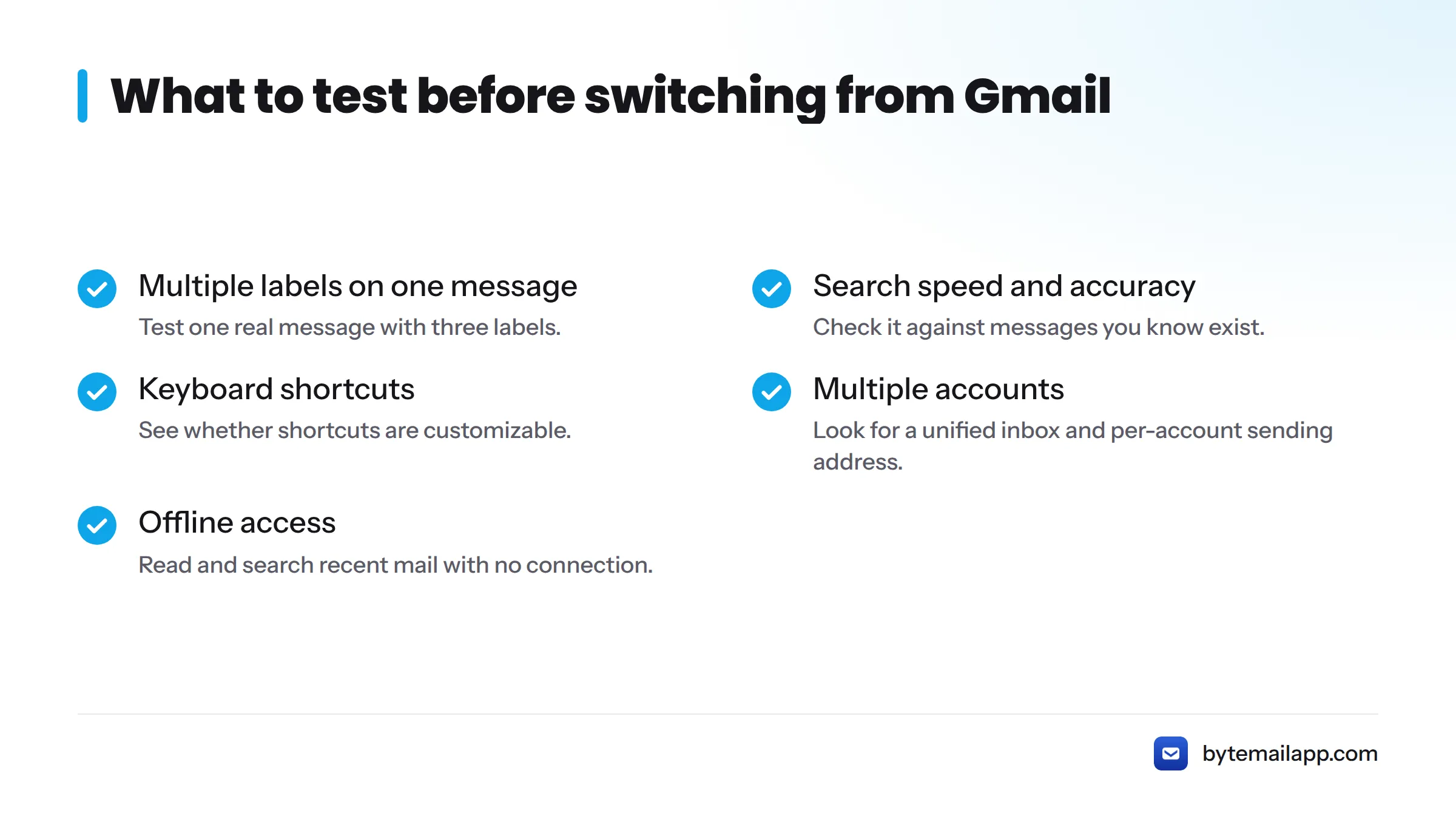
These come from early-user conversations at bytemail. They are qualitative impressions, not statistics, and the same four habits keep coming up.
Labels vs folders
People expect multi-label messages to behave as they do on the web. Over IMAP, labels appear as folder-like views, so test one real message with three labels before you commit.
Search quality
Gmail's server-side search sets a high bar. Local, on-device search is fast and private, but check it against a few messages you know exist.
Keyboard shortcuts
Gmail's single-key shortcuts rarely transfer unchanged. I compare them with Mac conventions in Gmail shortcuts vs Mac shortcuts.
Multiple accounts and offline access
Many people juggle work and personal Gmail. A good client handles both in one window, as the multiple email accounts page shows. Confirm, too, that you can read and search recent mail on a plane.
| Gmail habit | What to check in any alternative |
|---|---|
| Stacking several labels on one message | How labels appear and whether you can apply them |
| Searching by sender, date, and keyword | Speed and accuracy on mail you know exists |
| Single-key shortcuts | Whether shortcuts are customizable |
| Two or more accounts | Unified inbox and per-account sending address |
| Reading mail with no connection | Offline access to recent mail and search |
If you are leaving the browser tab behind, the webmail client alternatives page covers alternatives to the Gmail web interface on Mac.
Which Gmail Alternative Should You Pick?
Match your situation to a path.
| If you... | Pick |
|---|---|
| Want to keep your Gmail address and get a native, private app | bytemail |
| Want free and simple | Apple Mail |
| Use only Gmail and want Gmail-style behavior | Mimestream |
| Work in Microsoft 365 | Outlook for Mac |
| Want encryption and will change addresses | Proton Mail |
| Want a paid, ad-free service with IMAP | Fastmail |
| Live in Apple's ecosystem | iCloud Mail |
| Want free, open source, cross-platform | Thunderbird |
Next steps: if you plan to switch from Gmail on Mac and feel unsure, change only the app first. It costs nothing, and you can still move to a new service later. When you are ready to compare clients side by side, use the best Mac email client ranking. If bytemail sounds right, join the waitlist at bytemailapp.com.
FAQ
What are the best Gmail alternatives for Mac?
Keep your account with Apple Mail, Mimestream, Outlook, Spark, Thunderbird, or bytemail. Replace Gmail itself with Proton Mail, Fastmail, or iCloud Mail. The right choice depends on whether you want a new app or a new address.
What is the difference between an email client and an email service?
A client is the app you read mail in. A service stores your mailbox and owns your address. Changing clients leaves your Gmail address and messages untouched. Changing services means a new address and a migration.
Can I keep my Gmail address and stop using the Gmail website?
Yes. Turn on IMAP, as Google describes, and add your account to a native client. Your mail stays on Google's servers. You just read it somewhere else.
How do I use Gmail on a Mac without a browser?
Add your Gmail account to a desktop client such as Apple Mail or bytemail. Sign in through Google's OAuth prompt, and mail appears in a native window. See using Gmail in a native Mac app.
Do Gmail labels work in other email clients?
Mostly. Over IMAP, Google exposes labels as folder-like views, so one message can appear in several places. Behavior varies by client, so test with a real message first.
What is the best private alternative to Gmail?
For a service, Proton Mail centers on end-to-end encryption. For a client, pick one that connects straight to your provider with no relay, as bytemail does. Privacy depends on both layers.
Do I need to change my email address to leave Gmail?
Only if you leave the service. If you only want a different app, keep the address. If you switch services, forward old mail for a while and update your accounts gradually.
Sources
- Google Help: Read Gmail messages on other email clients using IMAP
- Google Help: Gmail labels and IMAP
- IETF RFC 3501: Internet Message Access Protocol (IMAP)
- IETF RFC 6749: The OAuth 2.0 Authorization Framework
- Apple Support: Add or remove email accounts in Mail on Mac
- Apple Support: iCloud Mail
- Proton: Mail
- Fastmail
- Mimestream
- Microsoft Outlook
- Spark Mail
- Mozilla Thunderbird