bytemail Review: Native macOS Email Client for 2026

bytemail is a native macOS email client built in Swift with SwiftUI and AppKit. It puts Gmail, iCloud, Outlook, Microsoft 365, Yahoo, Fastmail and any IMAP account into one unified inbox on Mac, and it connects your Mac straight to your email provider with no bytemail cloud relay in between. You can try it on the bytemail homepage with a 7-day free trial.
Here is the short verdict before we go deeper:
- Best for: Mac users with several accounts who want a fast, private, keyboard-friendly inbox that feels like it belongs on macOS.
- Not for: Windows or Linux users, anyone stuck on an older macOS, and people who need a built-in calendar or contacts app today.
- Standout idea: your mail goes from your provider to your Mac, and nowhere else.
I wrote this bytemail review because search results for the name are mostly slogans, short listings and pages in other languages. If you are deciding whether to trust a new Mac email app with your inbox, you deserve a complete answer. Let's break it down.
Quick Facts About bytemail
| Item | Detail |
|---|---|
| Platform | macOS 14 or later |
| Chip support | Optimised for Apple silicon |
| Built with | Swift, SwiftUI and AppKit |
| Accounts | Gmail, iCloud, Outlook, Microsoft 365, Yahoo, Fastmail, any IMAP server |
| Trial | 7-day free trial |
| Install routes | Direct download, Setapp, Homebrew Cask |
| Privacy model | Direct connection to your provider, no bytemail relay, credentials in the macOS Keychain |
| Not available | Windows, Linux (Mac-only) |
What bytemail Is and How It Works
bytemail is an email app for people who live on a Mac and are tired of slow, heavy inboxes. It is a full email client, not a wrapper around a website. You add your accounts, and bytemail reads and sends mail for you using standard protocols.
The pitch is simple: speed and privacy come from architecture, not from marketing. A native macOS email app uses Apple's own frameworks instead of shipping a bundled browser engine. A direct-connection design means no middle server holds a copy of your mail.
The connection, step by step
bytemail talks to your provider over IMAP, the long-standing standard for reading mail from a server, and sends through SMTP. To show new messages quickly, it relies on IMAP IDLE push, an extension defined in RFC 2177. IDLE lets the server tell your Mac when something arrives, so the app doesn't have to poll over and over. For Fastmail, bytemail goes a step further and speaks JMAP, as described on its Fastmail integration page.
Here is the flow in plain words:
- Your Mac opens an encrypted connection to your provider (Gmail, iCloud, Outlook and so on).
- The provider pushes new-mail signals over that connection.
- bytemail downloads the messages to your Mac and indexes them locally.
- When you reply, your Mac sends the message directly through your provider's outgoing server.
Relay-based clients add a hop between steps 1 and 2. Your provider talks to the vendor's cloud, and the vendor's cloud talks to your app. That relay can power features like server-side snoozing, but it also puts another company's servers in the path of your mail. bytemail skips the hop by design.
Why a native app matters
A native app is written for one platform with that platform's own tools. For bytemail, that means Swift, SwiftUI and AppKit, Apple's frameworks for building Mac interfaces. Many cross-platform mail apps embed a web engine instead. That brings a heavier footprint and an interface that never quite behaves like a Mac app.
I won't quote launch-time or memory benchmarks, because I can't verify them for you. What I can describe is what the architecture implies: no bundled browser engine, standard Mac scrolling and text handling, and code compiled for Apple silicon. The longer argument lives on the page about what makes bytemail a true native macOS email app, and the Apple silicon email app page covers the chip side.
Requirements and compatibility
- macOS 14 or later. If your Mac can't run it, bytemail won't install.
- Apple silicon optimised. It runs natively on M-series Macs.
- Mac only. There is no Windows or Linux version.
- Internet access for the first sync. After that, search over mail you've already downloaded works offline.
bytemail Features That Matter Day to Day
The full list is on the all bytemail features page. These are the ones I'd focus on.
One inbox, colour-coded by account
Every account lands in the same unified inbox on Mac, and each account gets a colour-coded avatar. A work message and a personal one look different at a glance. The multiple email accounts on Mac page shows how that works if you juggle several addresses.
Threads that read like a chat
Each message appears as a bubble. Long back-and-forth conversations are easier to follow this way than as a stack of quoted replies.
Search across every account, on-device and offline
Search runs against an index stored on your Mac, so one query covers every account. Because the index is local, searching mail you've already downloaded needs no connection.
Smart inbox tabs
Tabs for All, Primary, Updates and Promos sort the flood. Categorisation happens on your device, not on a remote server.
A composer that stays out of the way
The composer supports rich text, drag-and-drop attachments and auto-saved drafts. Close a window by accident and you don't lose a half-written message.
Sender pictures and brand icons
Senders show a picture or brand icon, which makes a crowded list faster to scan.
Keyboard-driven triage
You can work through your inbox without touching the mouse. The keyboard-driven email workflow page lists the shortcuts.
Rules and look-alike sender detection
bytemail includes rules for handling incoming mail automatically. It also detects phishing and look-alike senders, such as an address that swaps one letter to imitate a bank. Treat any detection as a warning, not a guarantee.
Notifications and Dock badge
New mail triggers a macOS notification and a Dock badge count. If you don't see them, check notification permission in System Settings. The troubleshooting section below covers it.
Is bytemail a Private Email App for Mac?
Short answer: bytemail is designed so your mail does not pass through bytemail's servers. The full explanation is on the page about how bytemail handles privacy. Here is what that means in practice.
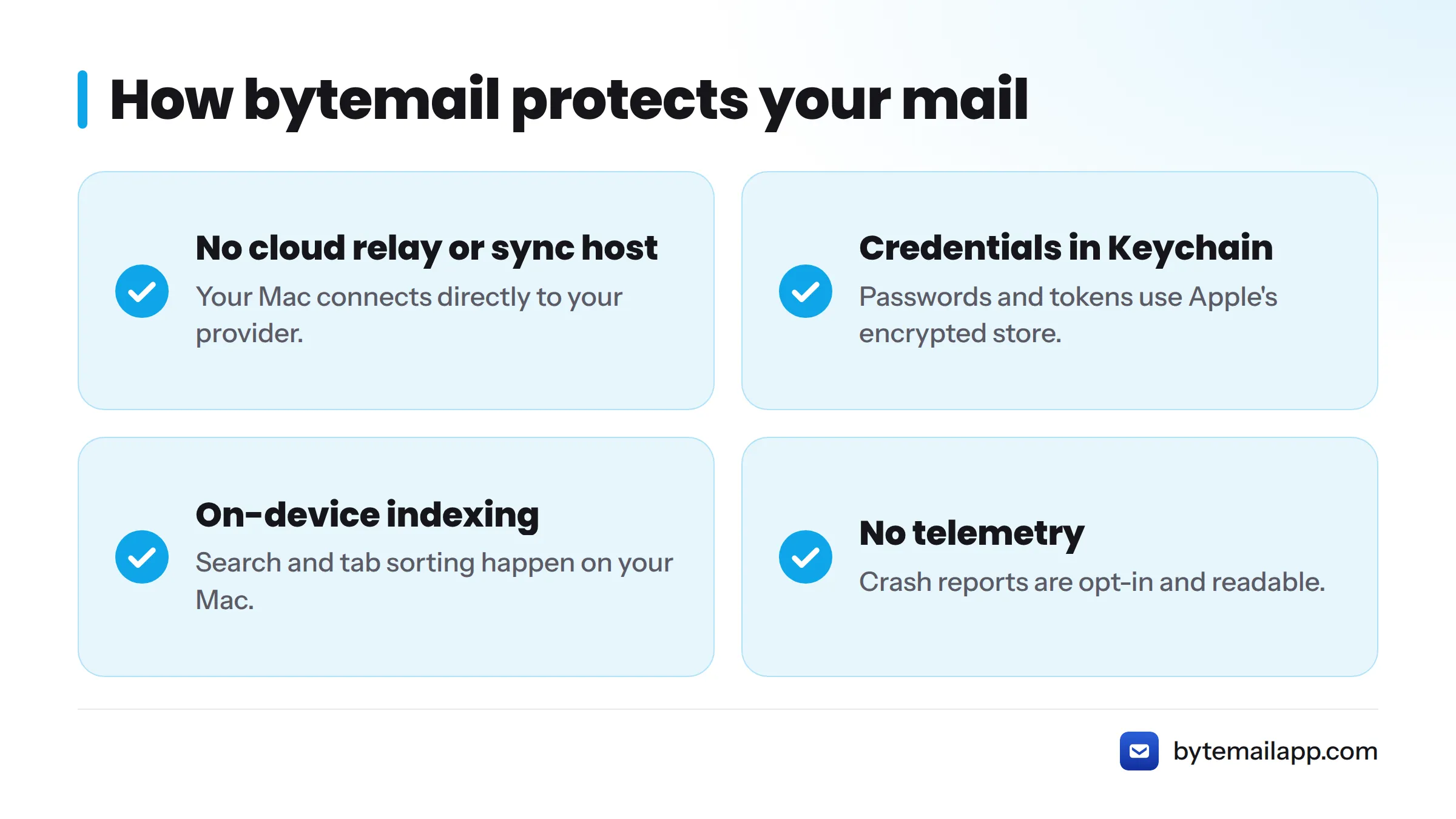
No cloud relay or sync host. Your Mac connects directly to Gmail, iCloud, Outlook or whichever provider you use. No bytemail account holds a copy of your messages, so there is no sync host to breach.
Credentials in the macOS Keychain. Passwords and sign-in tokens live in the macOS Keychain, Apple's encrypted credential store, rather than in a file the app invents for itself.
On-device indexing and categorisation. Search indexing and the Primary, Updates and Promos sorting both happen on your Mac. Your mail isn't sent elsewhere to be read and labelled.
No telemetry, opt-in crash reports. bytemail doesn't collect usage telemetry. If it crashes, any report is opt-in and readable, so you can see what would be sent before you send it.
Direct connection versus relay
| Step | Direct connection (bytemail) | Relay-based client |
|---|---|---|
| Provider to app | Provider → your Mac | Provider → vendor cloud → your Mac |
| Copies of your mail | Your provider and your Mac | Provider, vendor cloud and your Mac |
| Search index | On your Mac | Often on vendor servers or split |
| Third-party servers in path | None from bytemail | Vendor's servers |
My take: I like this model because it removes a party you would otherwise have to trust. The trade-off is real, though. Features that need a server, such as some cross-device sync tricks, are harder to offer.
Supported Email Providers and Setup
bytemail supports Gmail, iCloud Mail, Outlook, Microsoft 365, Yahoo Mail, Fastmail and any IMAP server, including custom domains.
| Provider | Typical sign-in | Notes |
|---|---|---|
| Gmail | OAuth in your browser | See the Gmail app for Mac page and the guide to adding a Gmail account to Mac |
| iCloud Mail | App-specific password | Generated in your Apple Account settings |
| Outlook | OAuth | Personal Outlook accounts |
| Microsoft 365 | OAuth | Work and school accounts may need admin approval |
| Yahoo Mail | App password | Generated in Yahoo account security |
| Fastmail | App password | Works over JMAP |
| Any IMAP server | Username, password, server and port | Works with custom domains; see also IMAP details |
Each provider sets its own sign-in rules, and providers change them. If a prompt looks different from the table, follow the provider's current instructions. Google's IMAP documentation explains how Gmail handles third-party clients.
How to Install bytemail
There are three routes, and all of them end with the same app.
| Route | Best if you... | Trade-off |
|---|---|---|
| Direct download | Want the 7-day free trial from the source | You manage updates through the app |
| Setapp | Already subscribe to Setapp | Tied to your Setapp subscription |
| Homebrew | Prefer the terminal and scripted setups | Requires Homebrew installed |
Direct download and the 7-day free trial
Download bytemail from the official site, open the disk image and move the app to your Applications folder. The trial runs seven days, so you can test it with real accounts before you pay.
bytemail Setapp
bytemail is available through Setapp, the subscription app service from MacPaw. If you already pay for Setapp, installing from there saves you a separate purchase.
bytemail Homebrew
Open Terminal and run:
brew install --cask bytemail
Homebrew Casks install macOS apps from the command line, which comes in handy when you set up a new Mac with a script.
First-run setup
- Launch bytemail and choose Add Account.
- Pick your provider. For Gmail, Outlook and Microsoft 365, approve access in the browser window that opens.
- For iCloud, Yahoo and Fastmail, paste an app password you generated in the provider's settings.
- For other servers, enter the IMAP and SMTP server names, ports and your credentials.
- Allow notifications when macOS asks, so the Dock badge and alerts work.
- Wait for the first sync to finish, then try a search.
bytemail Pricing and Licence
You get a 7-day free trial first. After that, bytemail is a paid app with monthly, yearly and lifetime licence options. I'm deliberately not quoting amounts, because prices change and the official page is the only reliable place for them. Check bytemail pricing for current figures.
My opinion: if you plan to stay with an email client for years, look at the lifetime option, since subscription fees add up. Run the trial first and judge the app on your real inbox.
bytemail vs Other Mac Email Apps
Mac email is a crowded field. The table below compares approaches, not feature-by-feature scores, and it states only what is widely understood about each product. If you're hunting for a bytemail alternative or want to see what else is out there, the Mac email app alternatives hub and the best email client for Mac roundup go deeper.
| App | Approach | Where bytemail differs |
|---|---|---|
| bytemail | Native Swift, direct connection, no relay, multi-provider | Baseline |
| Apple Mail | Built into macOS, free | bytemail adds conversation bubbles, smart tabs and a keyboard-first design; see Apple Mail alternatives |
| Spark | Cross-platform, team and AI features | bytemail has no relay and is Mac-only; see Spark alternatives |
| Airmail | Mac and iOS client with many integrations | See Airmail alternatives |
| Mimestream | Native Mac client focused on Gmail | bytemail covers many providers; see Mimestream alternatives |
| Canary Mail | Cross-platform, security and AI emphasis | See Canary alternatives |
| Outlook for Mac | Microsoft's client with calendar built in | See Outlook alternatives |
| Thunderbird | Free, open-source, cross-platform | See Thunderbird alternatives |
| Superhuman | Premium, speed-focused, cloud-based | bytemail is native and Mac-only; see Superhuman alternatives |
| Mailbird | Windows-first client | See Mailbird alternatives |
Short verdicts
- Choose bytemail if you want a Mac-only, native client with a no-relay privacy model and a keyboard-first workflow.
- Stay with Apple Mail if you want zero setup and are happy with the basics.
- Pick Outlook or Spark if a built-in calendar or team collaboration comes first.
- Pick Thunderbird if you want open source and cross-platform support.
Leaving webmail? The webmail client alternatives page explains what going native gets you, and the post on Gmail alternatives for Mac covers the same ground for Gmail users.
Who Should Use bytemail, and Who Should Skip It
A good fit if
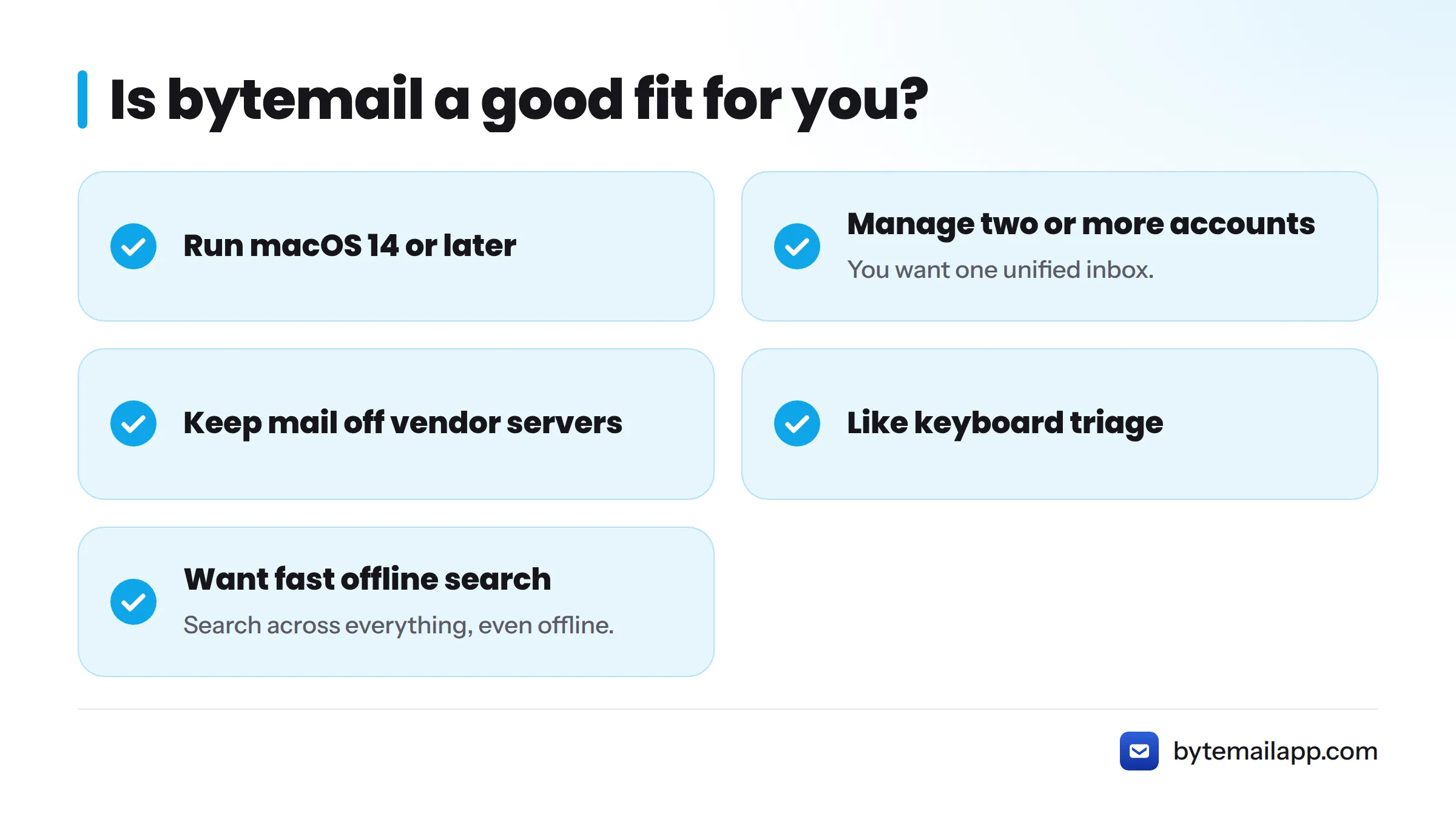
- You use macOS 14 or later.
- You manage two or more accounts and want one inbox.
- You don't want your mail routed through a vendor's servers.
- You like triaging with the keyboard.
- You want fast search across everything, even offline.
Skip it if
- You need Windows or Linux.
- Your Mac can't run macOS 14.
- You want a built-in calendar and contacts app inside your email client today.
- You depend on server-side features that only a cloud relay can provide.
A quick decision path
- Do you run macOS 14 or later? If not, skip bytemail.
- Do you need a built-in calendar right now? If so, consider Outlook or Apple's apps alongside it.
- Do you want mail kept off third-party servers? If so, bytemail fits.
- Still unsure? Start the 7-day trial and read what people say about bytemail.
bytemail Roadmap and bytemail iPhone Status
Calendar and contacts
Calendar and contacts are on the roadmap as user requests, not shipped features. If either is a must-have, plan to pair bytemail with another app for now.
iPhone app
An iPhone version was under Apple's App Store review as of a launch page dated October 12, 2026. Review timing is Apple's call, so check the official site for the current bytemail iPhone status before you plan around it.
bytemail and AI Assistants (MCP)
bytemail offers an email server for the Model Context Protocol, the open standard that lets AI assistants use outside tools. Assistants such as Claude, Codex, Cursor and Gemini CLI can work with your inbox through it. The overview sits on the email MCP server page, with setup guides for Claude, Claude Code, Codex and Gemini CLI.
One privacy caveat deserves attention. A connected assistant can read whatever you let it read, and your chosen AI provider's data policy then applies to everything the assistant sees. bytemail's no-relay design covers the app itself, not the third-party assistant you plug in. Grant access deliberately, and start with a test account.
Troubleshooting Common Setup Issues
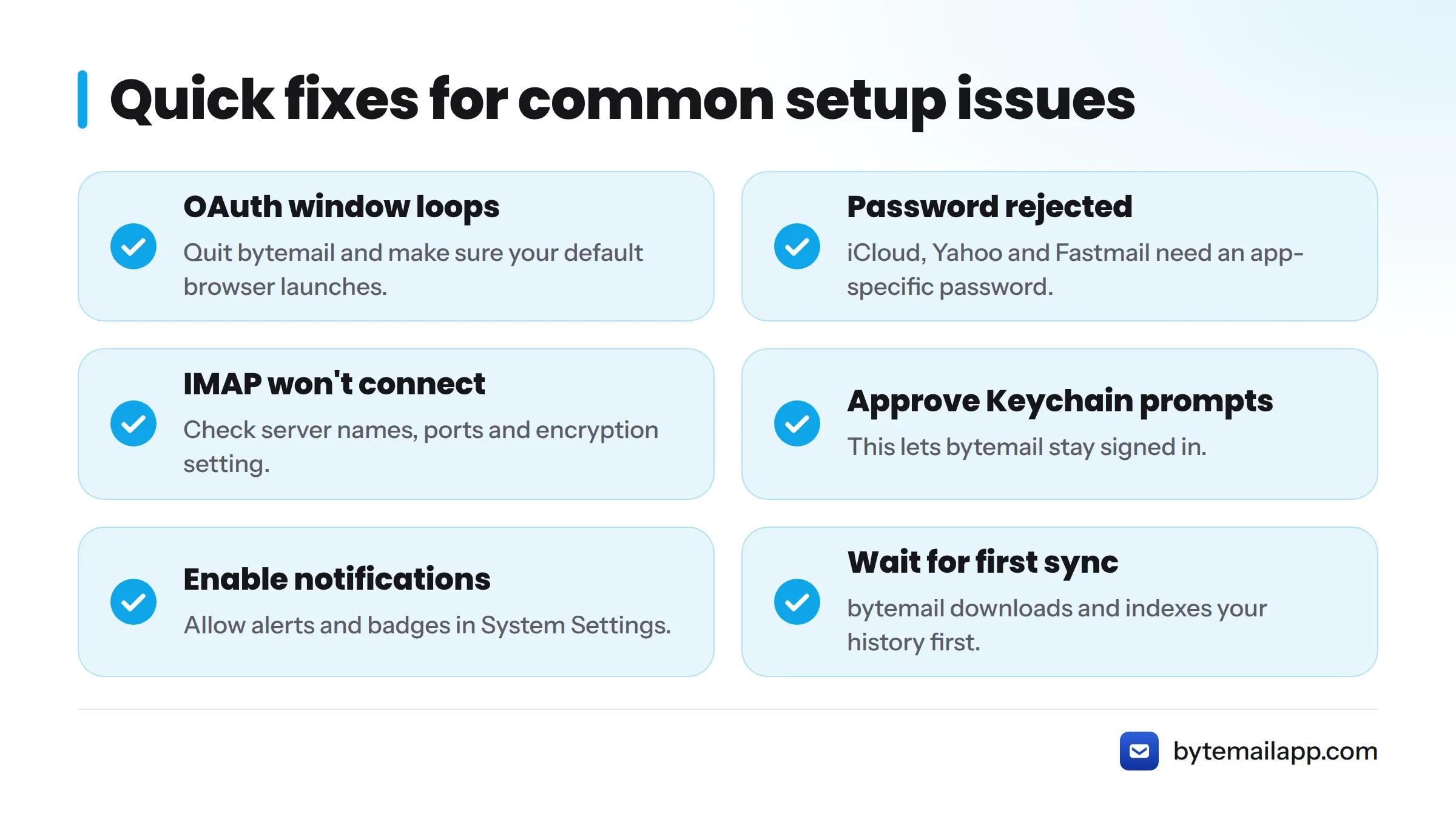
- OAuth window doesn't open or loops. Quit bytemail, make sure your default browser launches, and try again. For Microsoft 365, your organisation may require admin approval.
- iCloud, Yahoo or Fastmail rejects your password. These providers want an app-specific password, not your normal one. Generate a new one in the provider's security settings.
- IMAP account won't connect. Double-check server names, ports and the encryption setting your host requires. Your host's help page lists the correct values.
- Keychain prompts appear. macOS asks permission when an app reads saved credentials. Approve it so bytemail can stay signed in.
- No notifications or Dock badge. Open System Settings, go to Notifications, find bytemail and allow alerts and badges.
- Mail seems slow to appear. On the first sync, bytemail downloads and indexes your history. Give it time before judging speed.
Still stuck? The bytemail FAQ covers requirements, providers and privacy.
Glossary
- IMAP: the standard protocol that lets an app read and manage mail stored on a server.
- IDLE: an IMAP extension that lets the server push a notice to your app when new mail arrives.
- OAuth: a sign-in method where you approve access on your provider's own page, so the app never sees your password.
- Keychain: Apple's encrypted store for passwords and tokens on your Mac.
- Native app: software built with a platform's own tools, such as Swift and AppKit on macOS.
- Unified inbox: one inbox view that merges mail from several accounts.
- Cloud relay: a vendor server that sits between your email provider and your app.
bytemail FAQ
What is bytemail?
bytemail is a native macOS email client built in Swift. It combines Gmail, iCloud, Outlook, Microsoft 365, Yahoo, Fastmail and IMAP accounts in one inbox and connects your Mac directly to your provider.
Is bytemail a native Mac email client?
Yes. It uses Swift, SwiftUI and AppKit, with no bundled browser engine.
What macOS version does bytemail need?
macOS 14 or later. It is optimised for Apple silicon.
Is bytemail free?
There is a 7-day free trial, then a paid licence. See the pricing page for current options.
Is bytemail safe?
bytemail is designed so your mail does not pass through its servers. Credentials sit in the macOS Keychain, indexing happens on your Mac, and there is no telemetry.
Does bytemail send my email through its own servers?
No. Your Mac connects directly to your email provider.
Does it work with Gmail, iCloud, Outlook, Yahoo and Fastmail?
Yes to all of them, plus Microsoft 365 and any IMAP server or custom domain.
Does search work offline?
Search uses an on-device index across all accounts, so it works on mail you've already downloaded, even without a connection.
How do I install it?
Download it from the official site, get it through Setapp, or run brew install --cask bytemail in Terminal.
Is there an iPhone app, a calendar or Windows support?
An iPhone app was under Apple review as of October 12, 2026. Calendar and contacts are roadmap requests. There is no Windows or Linux version.
Final Verdict and Next Steps
bytemail answers one specific problem: Mac users who want a fast, native, multi-account inbox without handing their mail to another company's servers. It isn't for everyone. It needs macOS 14, it is Mac-only, and calendar and contacts haven't arrived yet. If those limits don't apply to you, it earns a trial.
Next steps:
- Download bytemail and start the 7-day trial.
- Add one real account and test search and the keyboard shortcuts.
- Check bytemail pricing if you like it.
- Still comparing? Read the Mac email app alternatives guide.