Yahoo Mail App for Mac: Native & Ad-Free Client
Yes. bytemail is a native Mac email client that runs Yahoo Mail outside the browser, so it works as a Yahoo Mail app for Mac. You add your Yahoo account, your Mac connects directly to Yahoo's servers, and your credentials stay in the macOS Keychain. There is no browser engine and no bytemail server in between.
If you searched for a Yahoo Mail desktop app Mac users can actually install and found only phone apps and help pages, you are not alone. Let's break down what exists and what fits a MacBook or iMac best.
Is there a native Yahoo Mail app for Mac?
Yahoo's own app story is mobile-first. The Yahoo Mail listing on the Apple App Store is an iPhone and iPad app. Its Mac availability shows up as a short note saying it needs macOS 14.0 or later and an Apple M1 chip or later. That is the iOS app running on a Mac, not a separate desktop client built for macOS.
Yahoo's Mail for Desktop help page is mostly an index of help topics, including IMAP and POP settings. It points to the web and to third-party mail apps rather than to a dedicated Mac program.
So the honest answer has two parts. Yahoo does not ship its own native Mac client that I could find. A third-party native client such as bytemail fills that gap, which makes it a practical Yahoo Mail client Mac owners can use for Yahoo Mail in a native Mac app.
What "native" means here: a native Mac email client is built for macOS with Apple's own frameworks (Swift, SwiftUI and AppKit) and does not bundle a browser engine to draw its windows.
Want the full picture? Here is how bytemail approaches native Mac email.
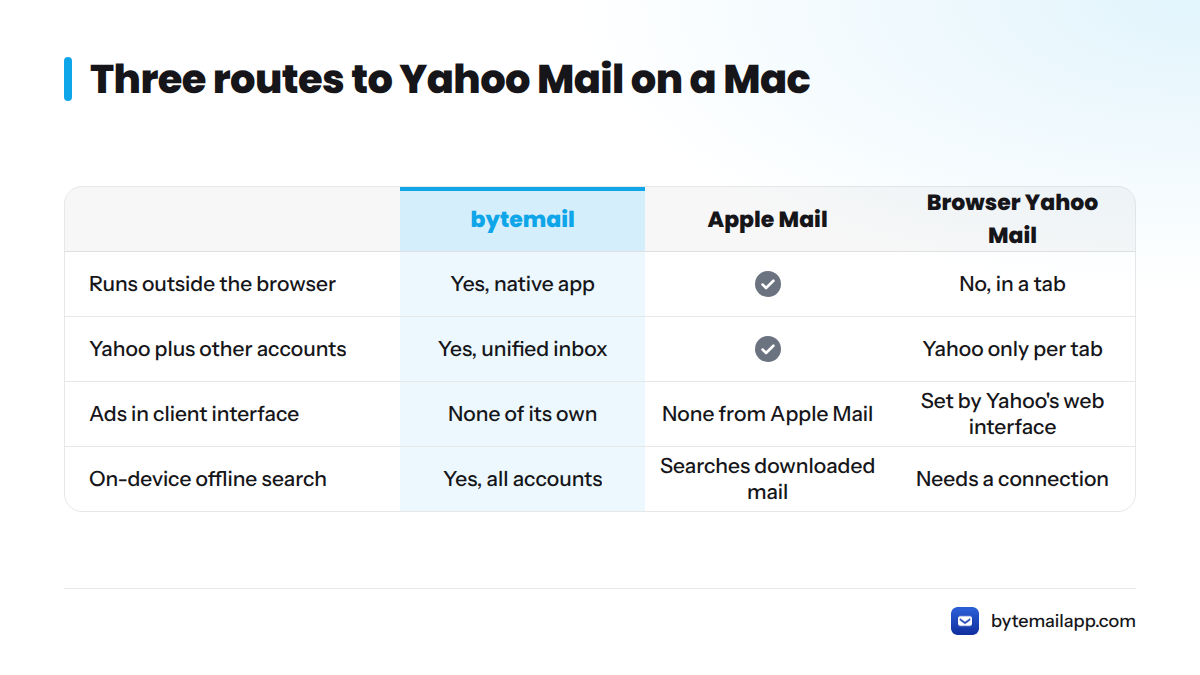
Three routes to Yahoo Mail on a Mac
| Browser-based Yahoo Mail | Apple Mail | bytemail (recommended) | |
|---|---|---|---|
| Runs outside the browser | No, it lives in a tab | Yes | Yes, native macOS app |
| Yahoo and other accounts together | Yahoo only per tab | Yes | Yes, in one unified inbox |
| Ads in the client interface | Set by Yahoo's web interface | None from Apple Mail | None. bytemail shows no ads of its own |
| On-device offline search | Needs a connection | Searches downloaded mail | Yes, across all accounts |
| Credentials stored | Browser session | macOS Keychain | macOS Keychain |
I tested the Yahoo setup myself with the bytemail team, and bytemail is the route I would pick. Apple Mail is a fair free default if you want something minimal, and it also gets you Yahoo Mail without a browser. The browser works if you rarely check mail.
How bytemail connects to Yahoo Mail over IMAP
bytemail uses IMAP, the standard protocol that lets a mail app read and sync a mailbox on a server. IETF RFC 3501 defines it. Your mail stays on Yahoo's servers, and your Mac keeps a synced local copy. That makes bytemail a Yahoo Mail IMAP Mac client in the plainest sense.
The connection runs one way: Mac to Yahoo's servers, labelled in our own diagram as "no intermediary server." Server names, ports and click-by-click steps live in our Yahoo Mail IMAP settings guide for Mac, so this page stays short.
Which sign-in method Yahoo requires
Yahoo may ask third-party clients to sign in with an app password instead of your normal password. Yahoo explains this on its help site, so read Yahoo's own page on app passwords for the current rules. Our guide to creating an app password for Yahoo covers the steps.
OAuth vs app password: OAuth lets you approve access in a sign-in window without handing the app your password. An app password is a separate, single-purpose code you generate in your Yahoo account for one app.
In our team's testing, the sign-in prompt in bytemail guided us to the right method for Yahoo. Yahoo controls these requirements, so they can change.
Why no bytemail server sits between your Mac and Yahoo
I care about this one, and most competitors skip it. Four design choices matter:
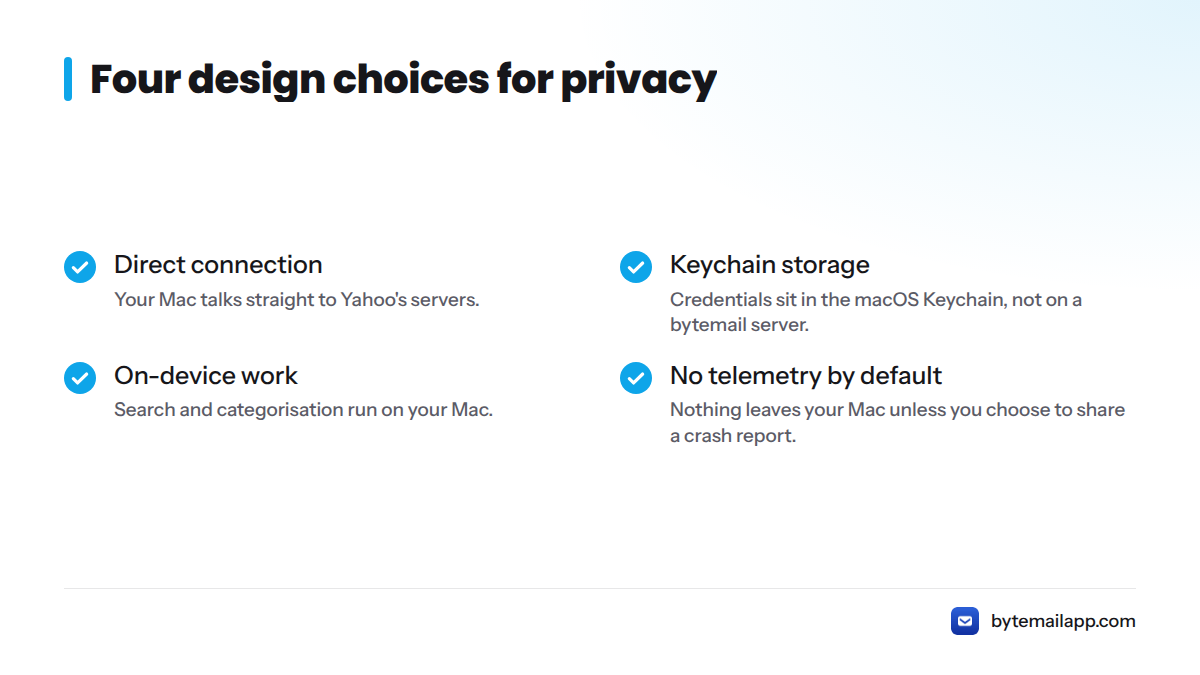
- Direct connection. Your Mac talks straight to Yahoo's servers.
- Keychain storage. Credentials sit in the macOS Keychain, not on a bytemail server.
- On-device work. Search and categorisation run on your Mac.
- No telemetry by default. Nothing leaves your Mac unless you choose to share a readable crash report.
This describes bytemail's design only. It says nothing about how Yahoo handles data on its side. For more, see how our privacy-focused Mac email client works.
What a native, ad-free Yahoo client changes day to day
"Ad-free" here means bytemail's own interface shows no ads. Here is what you notice:
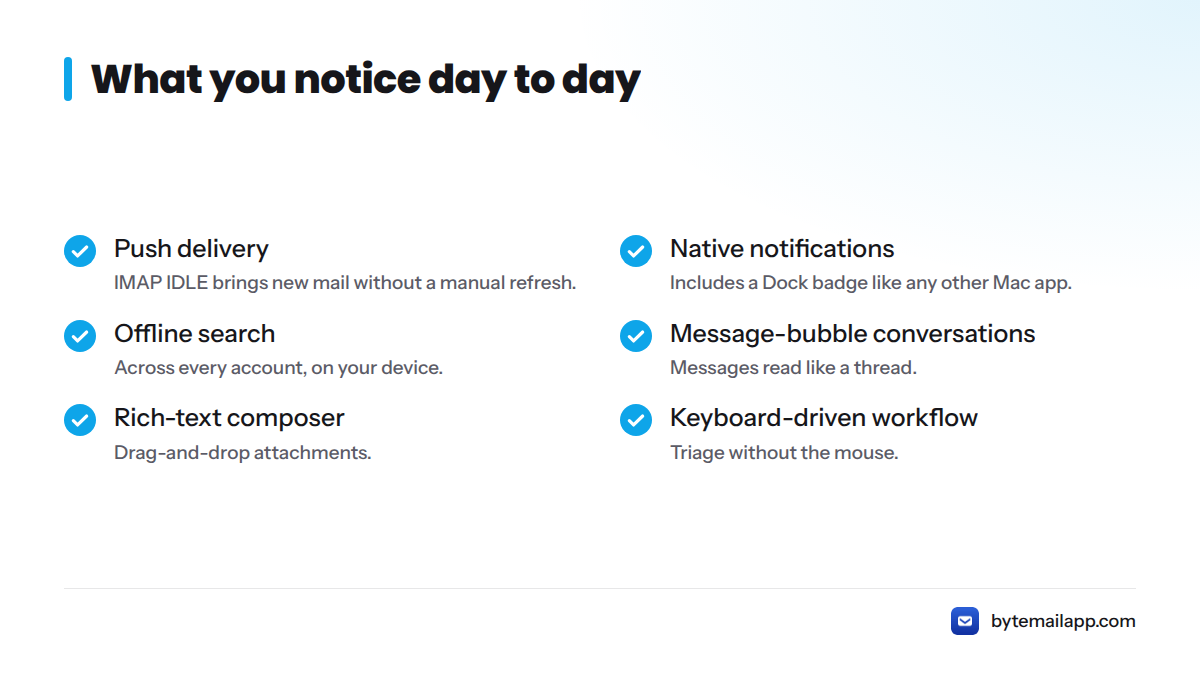
- Push delivery through IMAP IDLE, so new mail arrives without a manual refresh.
- Native notifications and a Dock badge, like any other Mac app.
- Offline search across every account, on your device.
- Message-bubble conversations that read like a thread.
- Rich-text composer with drag-and-drop attachments.
- Keyboard-driven workflow for triage without the mouse.
bytemail is also optimised for Apple silicon, which matters if you run Yahoo Mail on a MacBook or iMac with an M-series chip. It requires macOS 14 or later.
On price, I can only point you to the bytemail pricing page for current terms. If you want a Yahoo Mail app for Mac free of charge, Apple Mail is the no-cost option from the table above.
Yahoo Mail beside your other accounts
Most people do not live in one inbox. bytemail gives you a Yahoo Mail unified inbox on Mac by putting Yahoo and other accounts in one inbox, with colour-coded avatars so you always see which account a message belongs to. Gmail, iCloud, Outlook and Microsoft 365 work beside Yahoo, and other IMAP accounts connect too. Browse all supported mail providers, or read how multiple email accounts on Mac work in one app. If Gmail is your other account, see the Gmail app for Mac.
Get started with Yahoo Mail in bytemail
Next steps:
- Download bytemail for your Mac.
- Add your Yahoo account, using the IMAP settings guide and the app password guide if Yahoo asks for one.
- Check bytemail pricing for current terms.
Requirements and provider details are in the bytemail FAQ.
FAQ
Does bytemail work with Yahoo Mail?
Yes. You add your Yahoo account like any other, and bytemail connects over IMAP directly to Yahoo's servers.
Do I need an app password for Yahoo Mail?
Possibly. Yahoo may require an app password for third-party clients, and Yahoo sets the rule. Check Yahoo's help page for the current requirement.
Is there a native Yahoo Mail app for Mac?
Yahoo's own app is built for iPhone and iPad, with a Mac note on its App Store listing. For a true native Mac client, use bytemail.
Can I use Yahoo Mail without a browser on my Mac?
Yes. bytemail and Apple Mail both open Yahoo Mail outside a browser tab. bytemail adds a unified inbox, offline search and an interface with no ads of its own.